Team – Add Additional Users or Administrators
1. Go to the bottom left of the window and click on your initials or name.

2. Select Account settings.

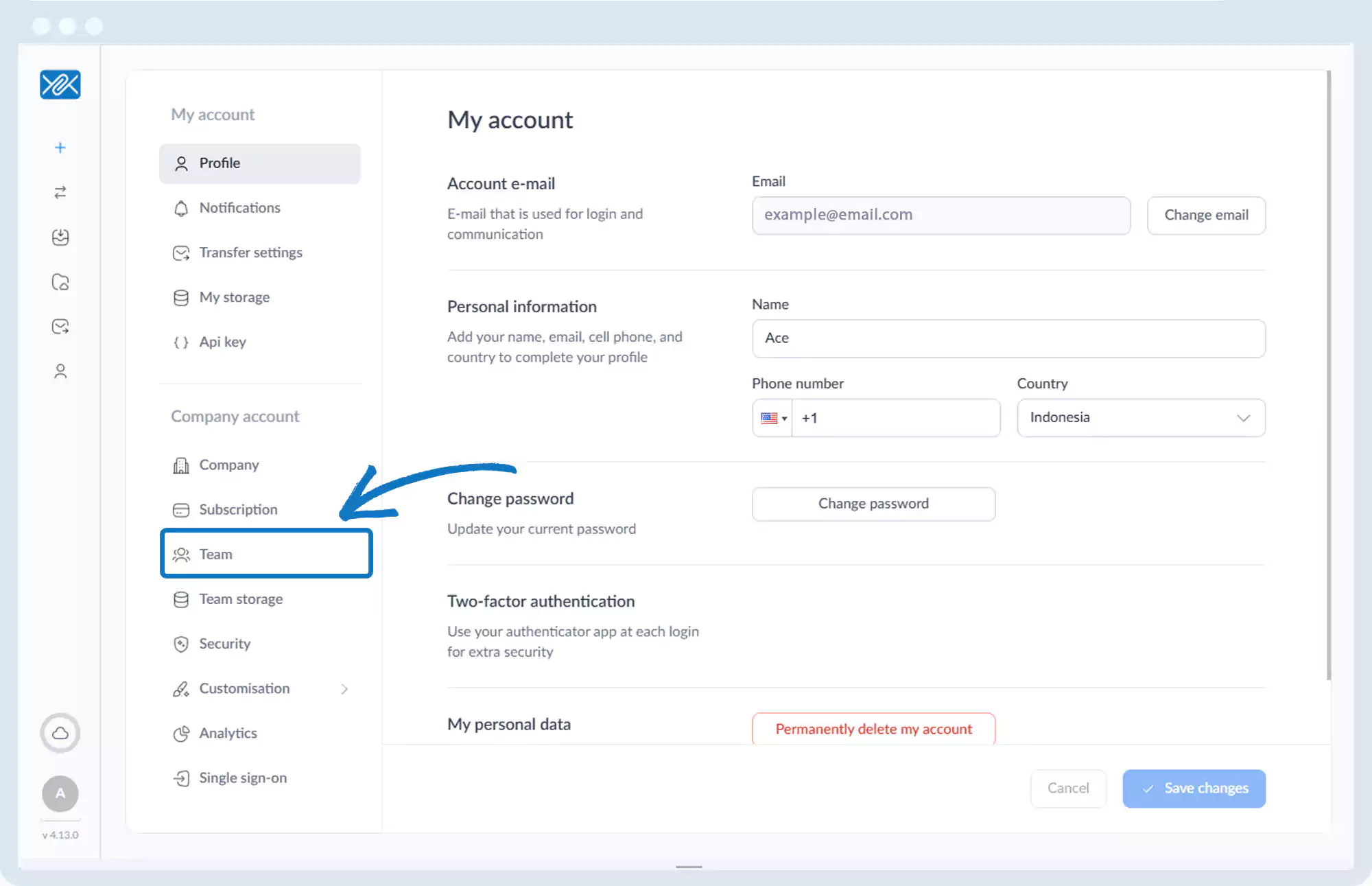
3. Click Team.
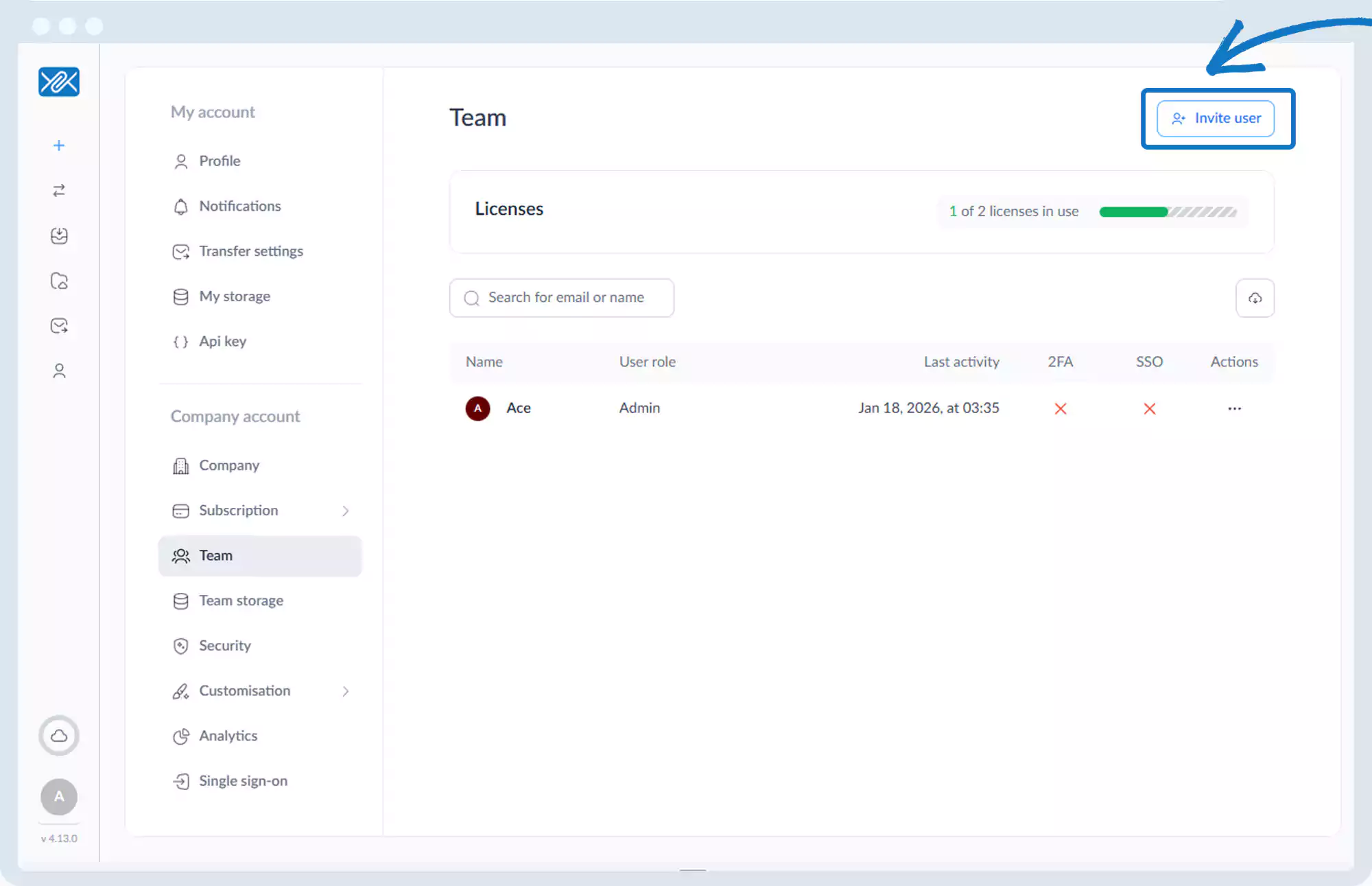
4. Click Invite user.
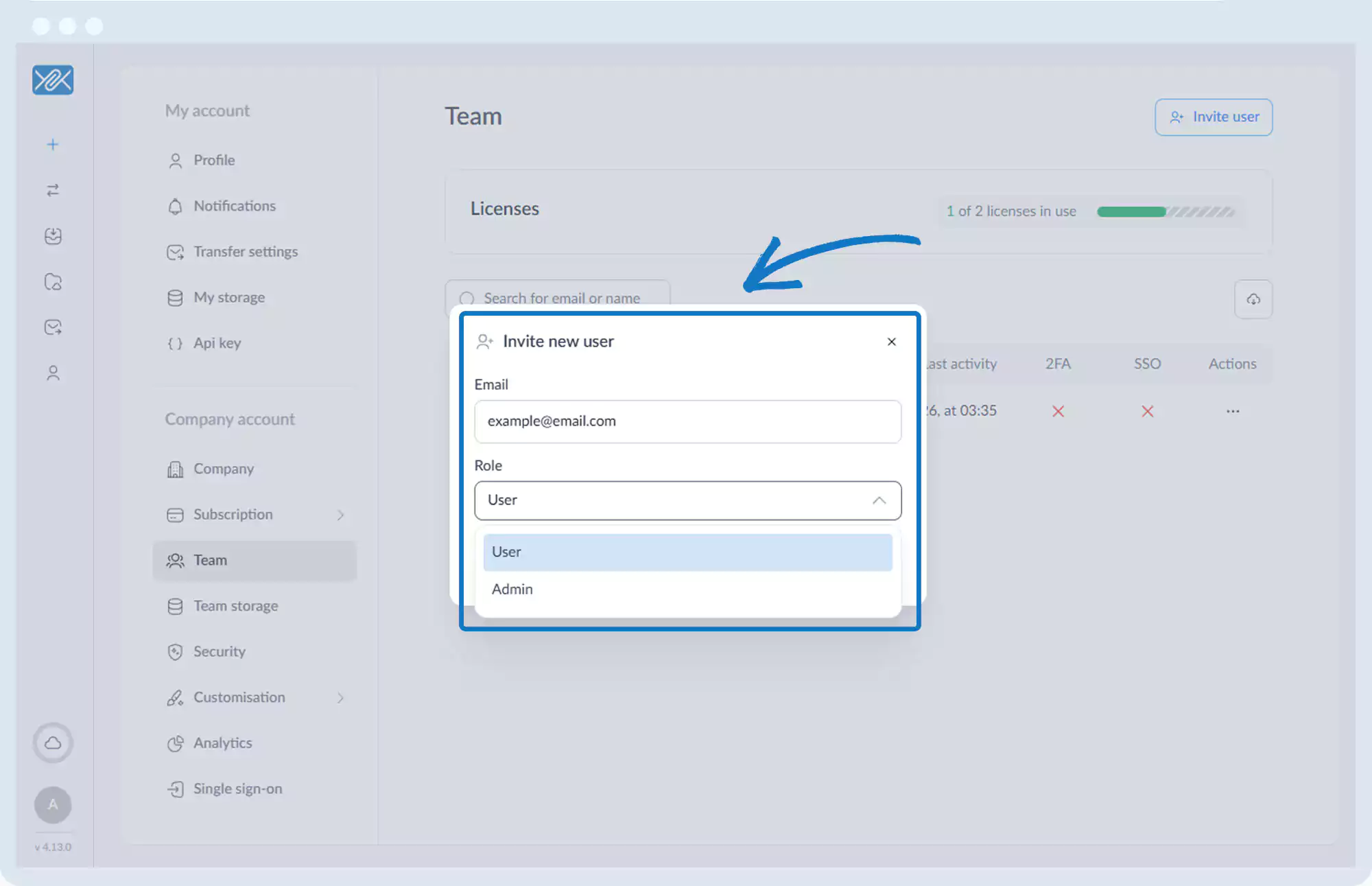
5. Enter the email address and assign a role:
- User
- Administrator
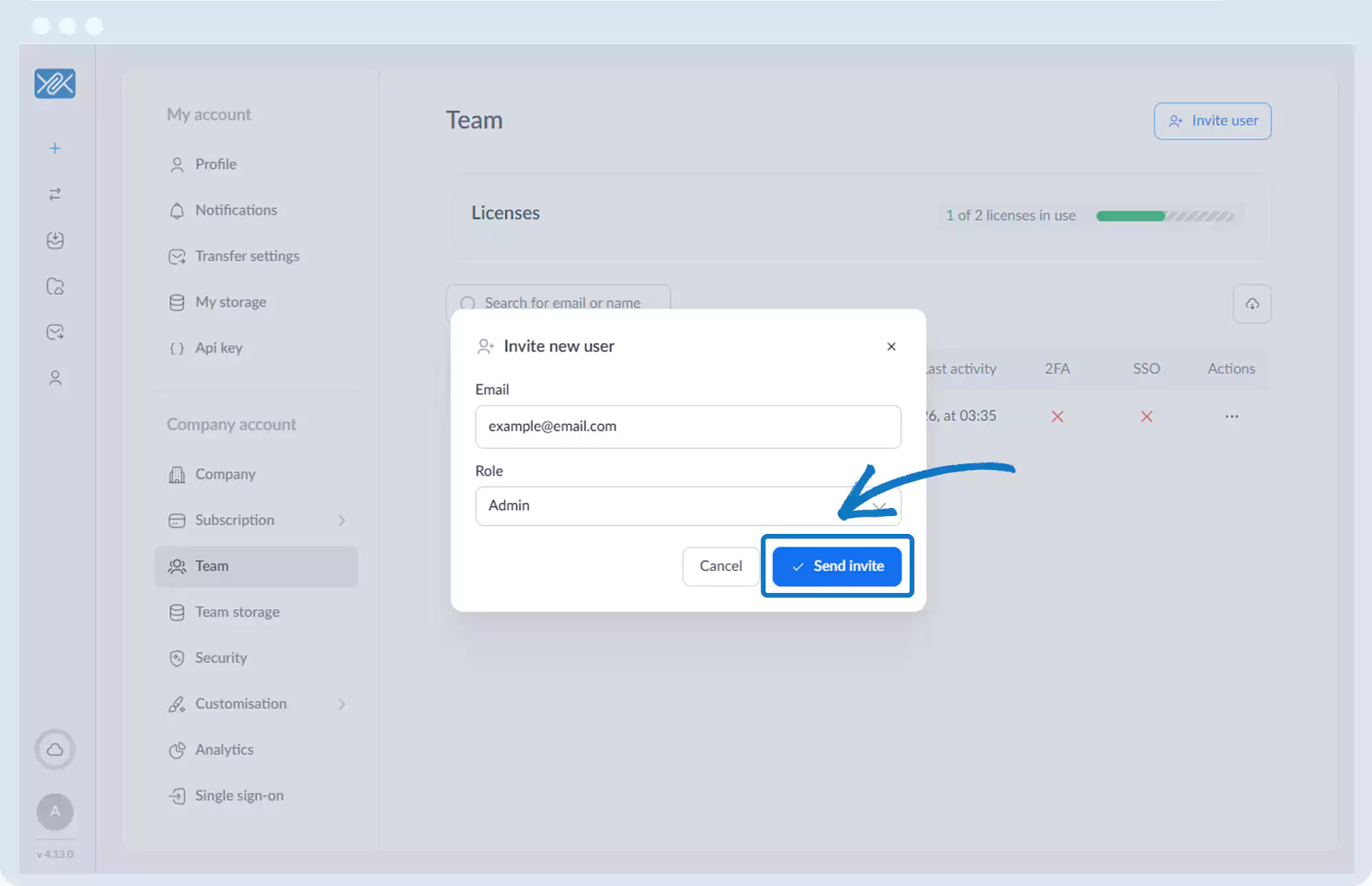
6. Click Send invite.
Go back to the operations manual page