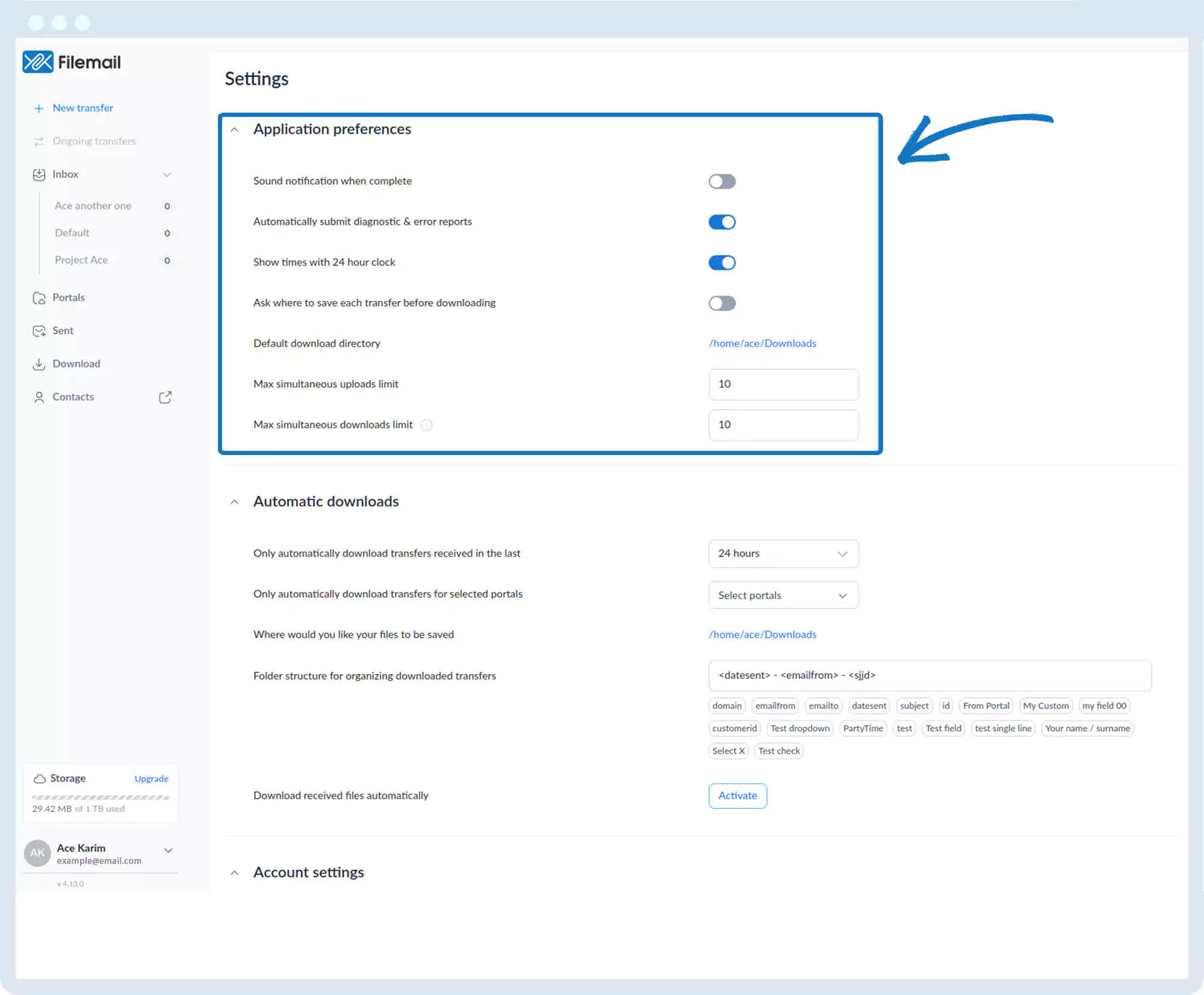
Application Preferences
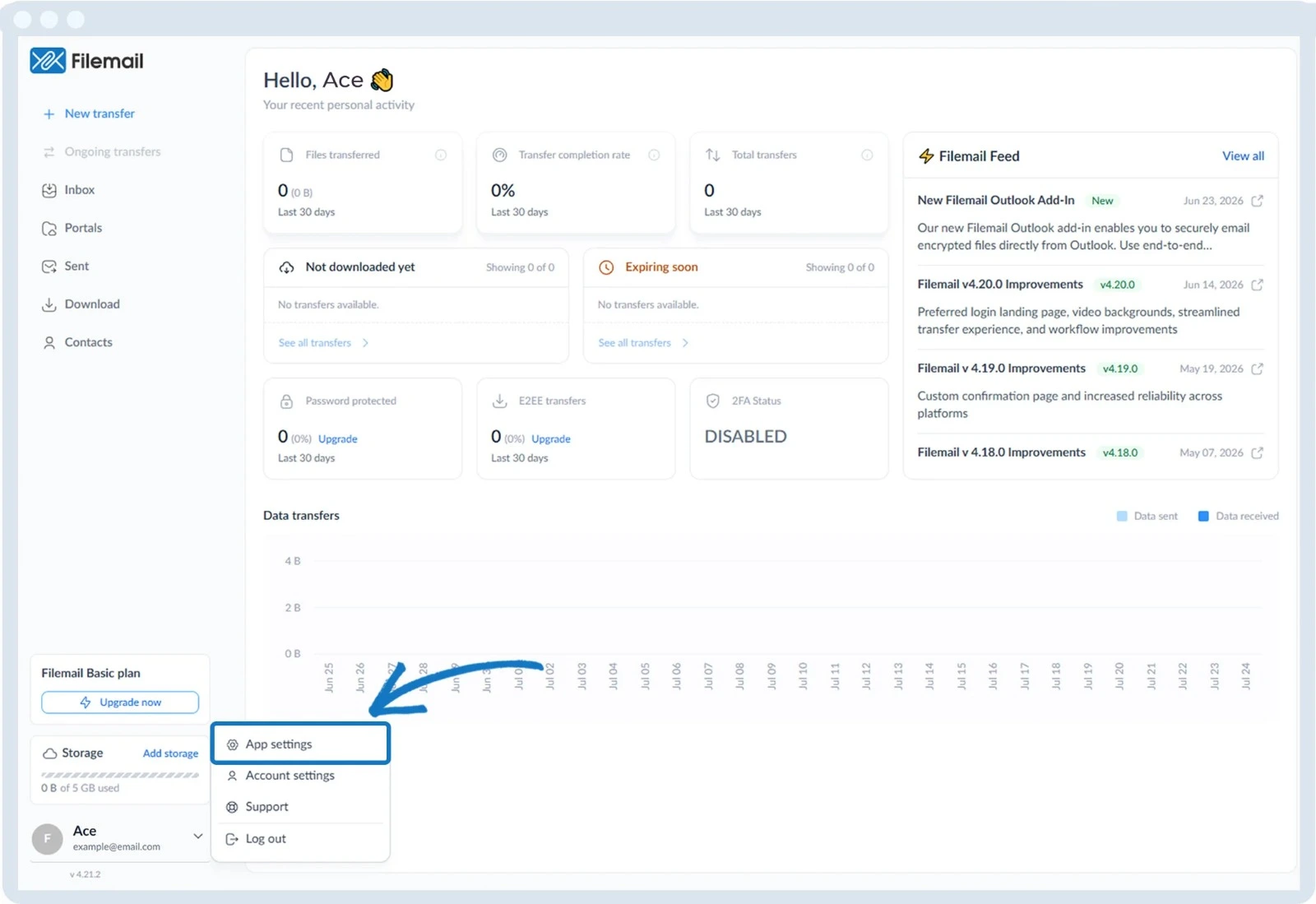
1. Open your desktop app (Windows, macOS, or Linux).
2. Go to the bottom left of the window and click on your initials or name.

3. Select App settings.
4. The following preferences are available:
- Sound notification when complete
- Automatically submit diagnostic and error reports
- Show times using a 24-hour clock
- Ask where to save each transfer before downloading
- Default download directory (click the blue text to change)
- Maximum simultaneous uploads
- Maximum simultaneous downloads
Go back to the operations manual page