Change Password
1. Go to the bottom left of the window and click on your initials or name.

2. Select Account settings.

3. Click Profile.
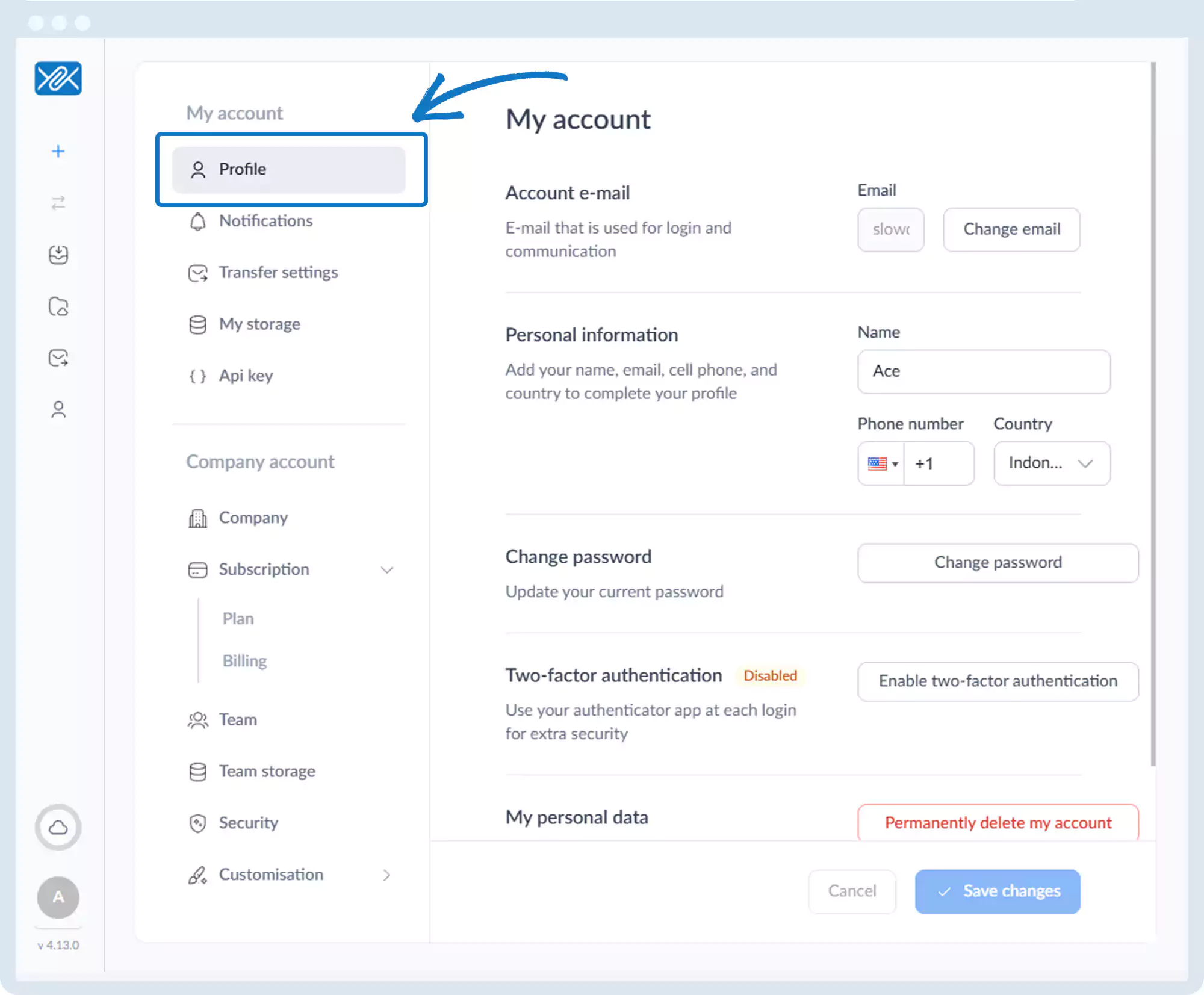
4. Click Change password and submit your new password.
Go back to the operations manual page
1. Go to the bottom left of the window and click on your initials or name.
2. Select Account settings.
3. Click Profile.
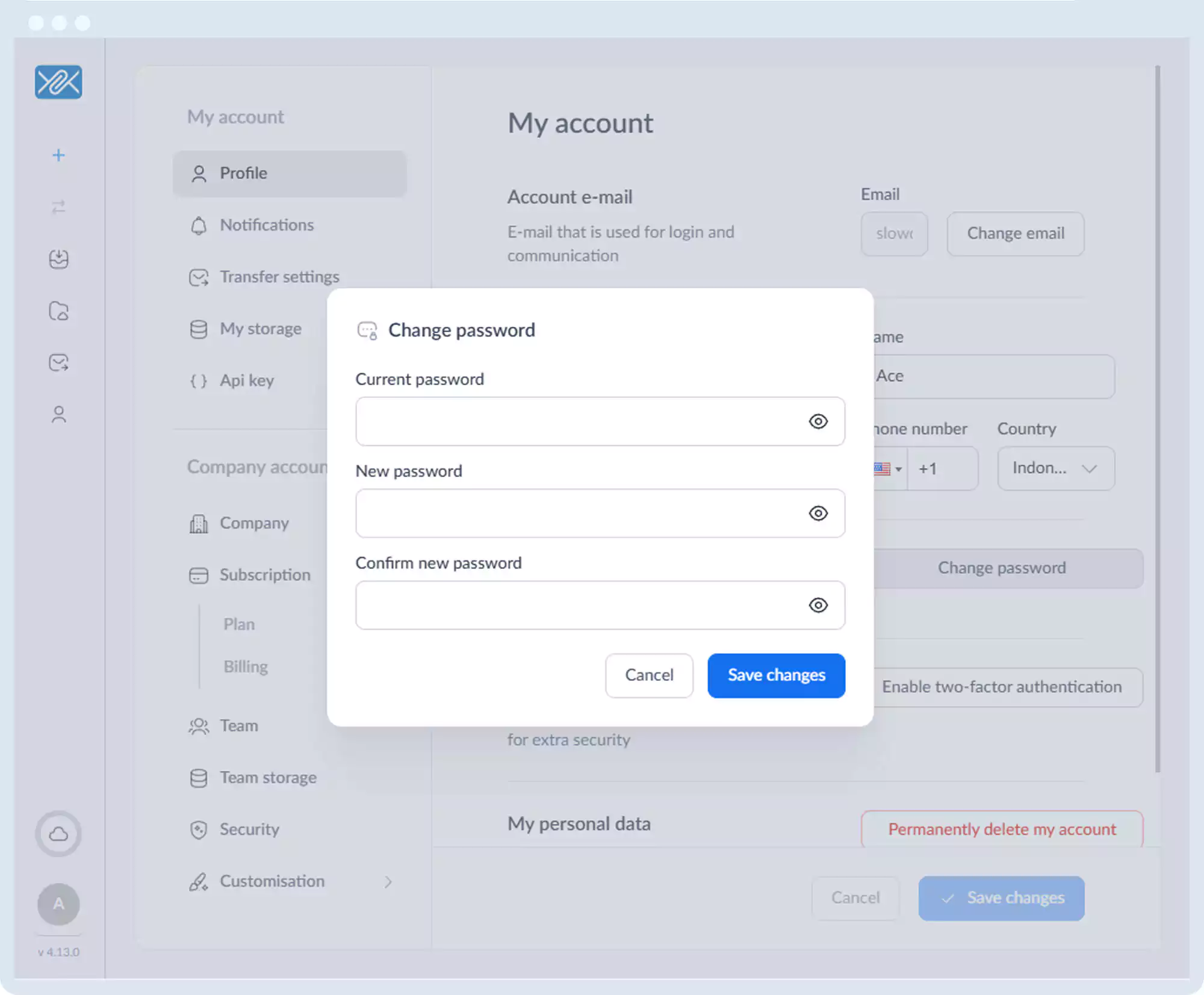
4. Click Change password and submit your new password.
Go back to the operations manual page