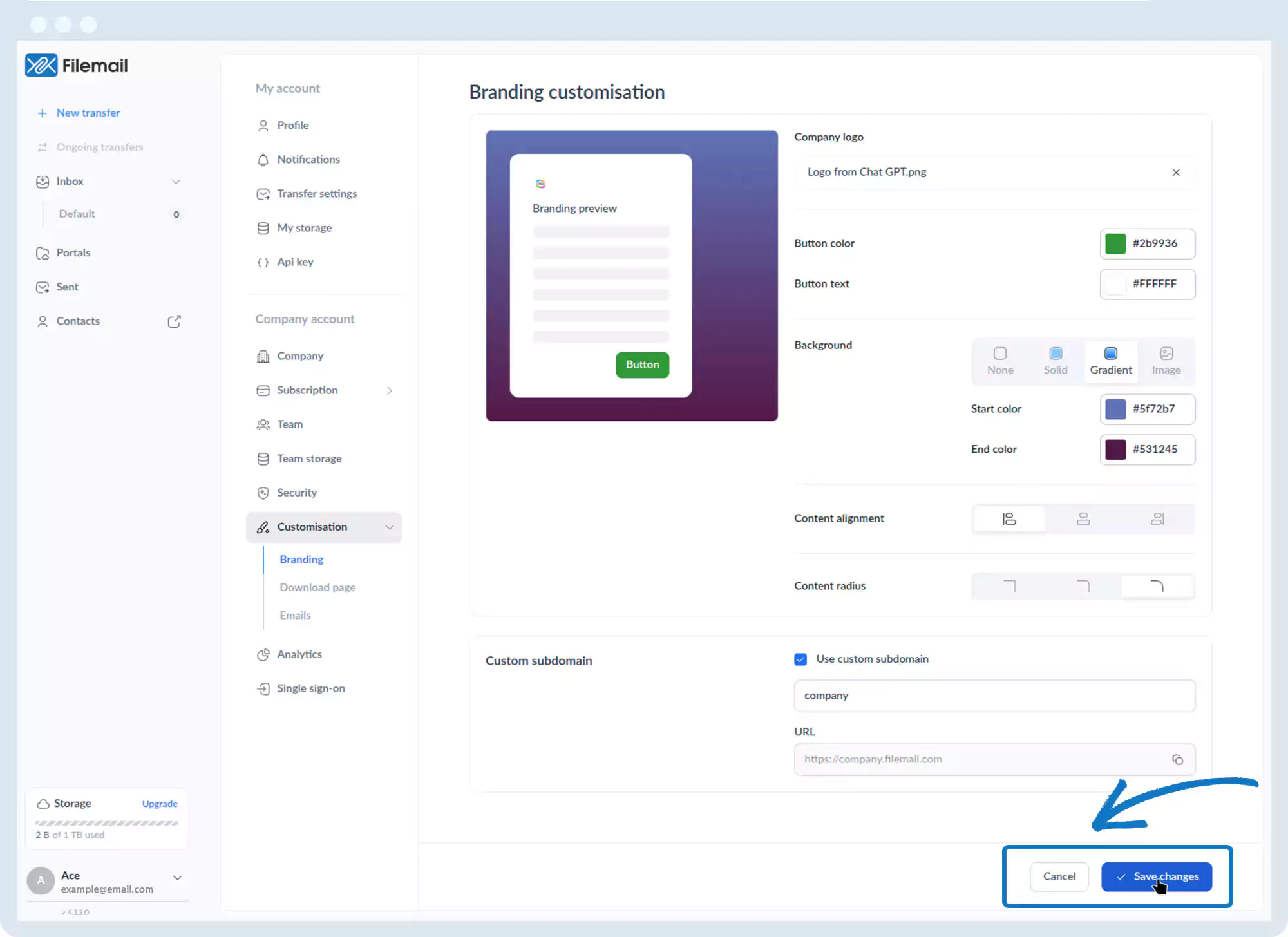
Customization – Custom Subdomain
1. Go to the bottom left of the window and click on your initials or name.

2. Select Account settings.

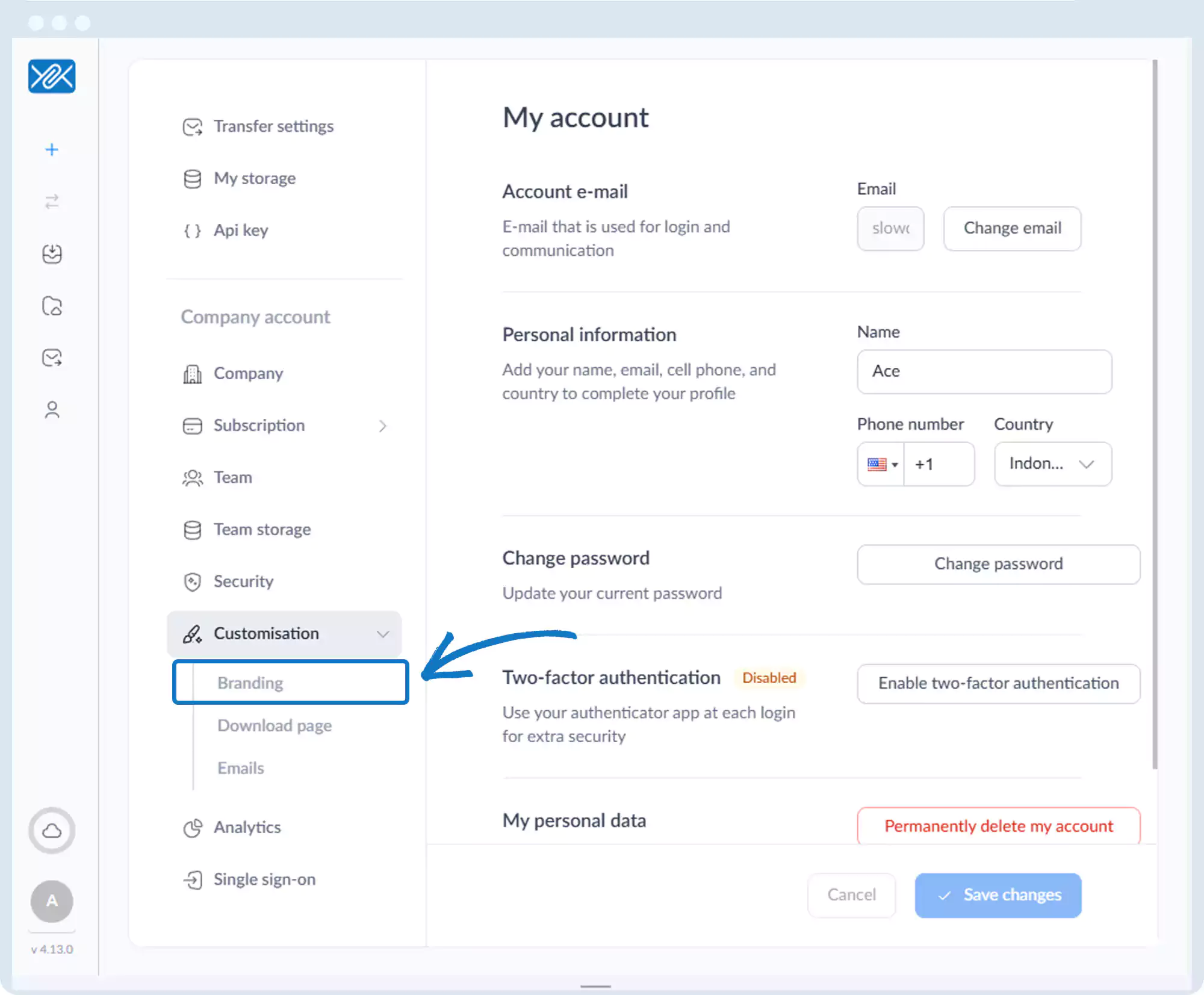
3. Click Customization, then Branding.
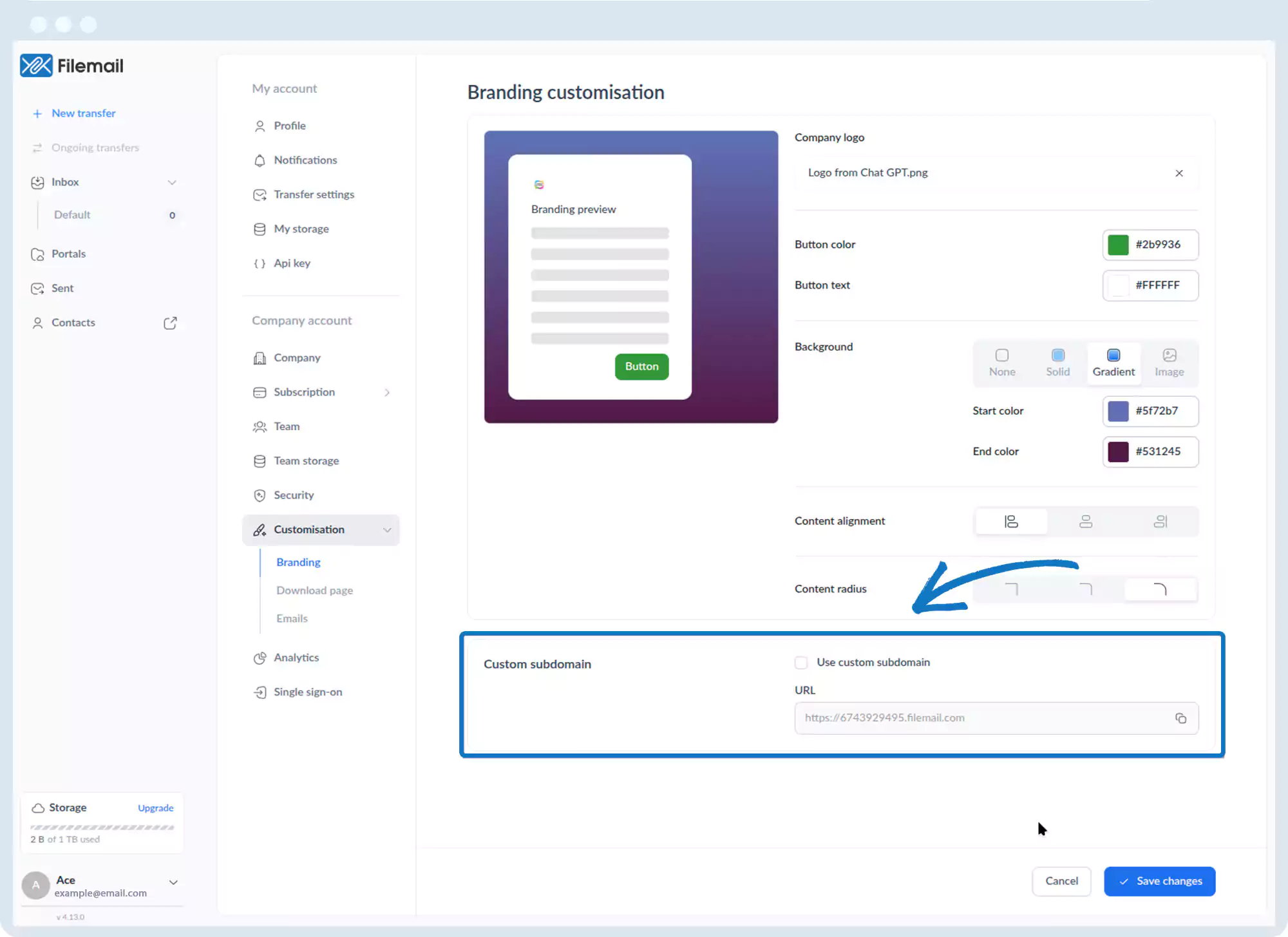
4. Scroll to the Custom subdomain section.
5. Enable Use custom subdomain and enter the desired name.
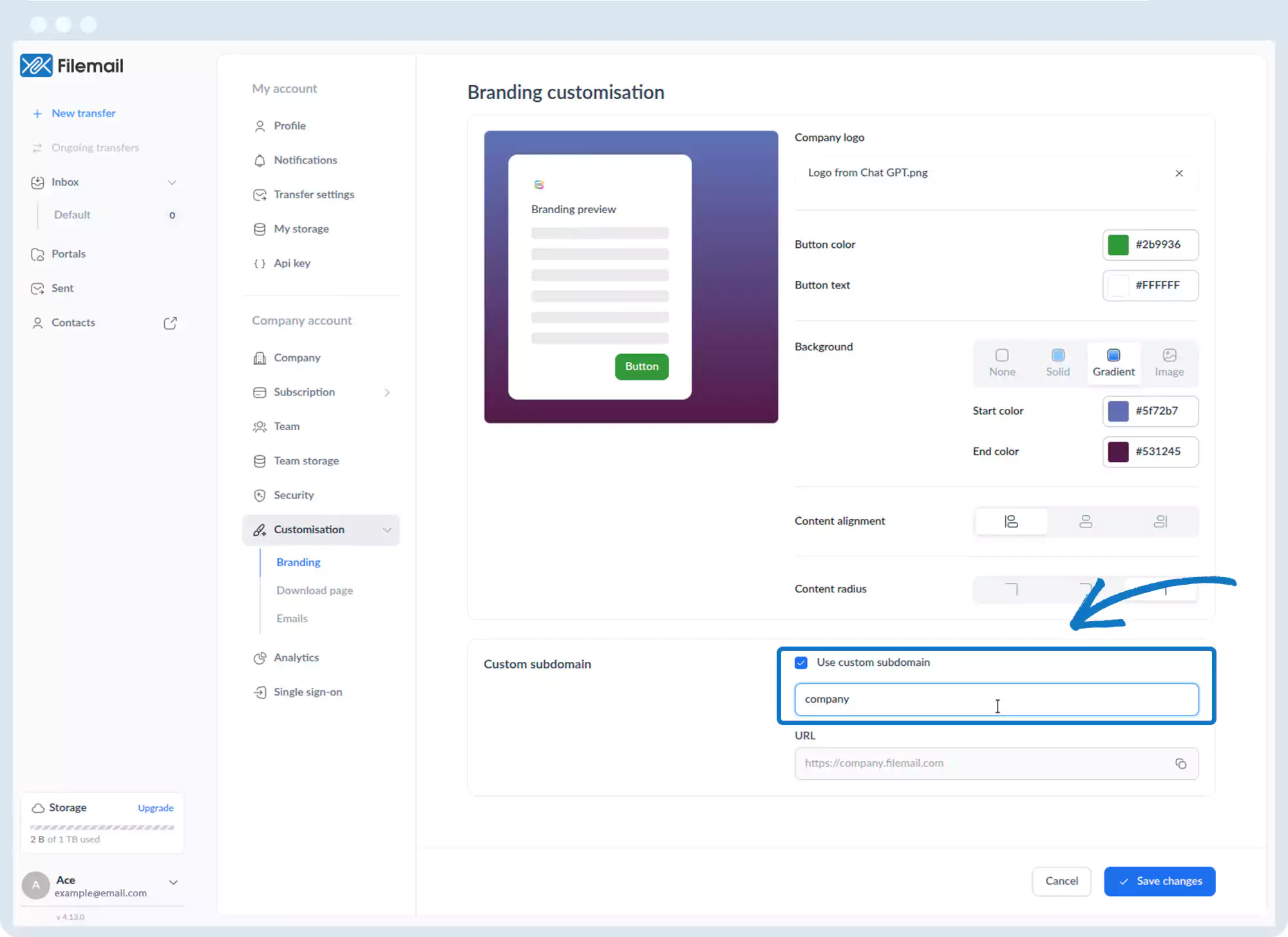
6. The URL field updates automatically.
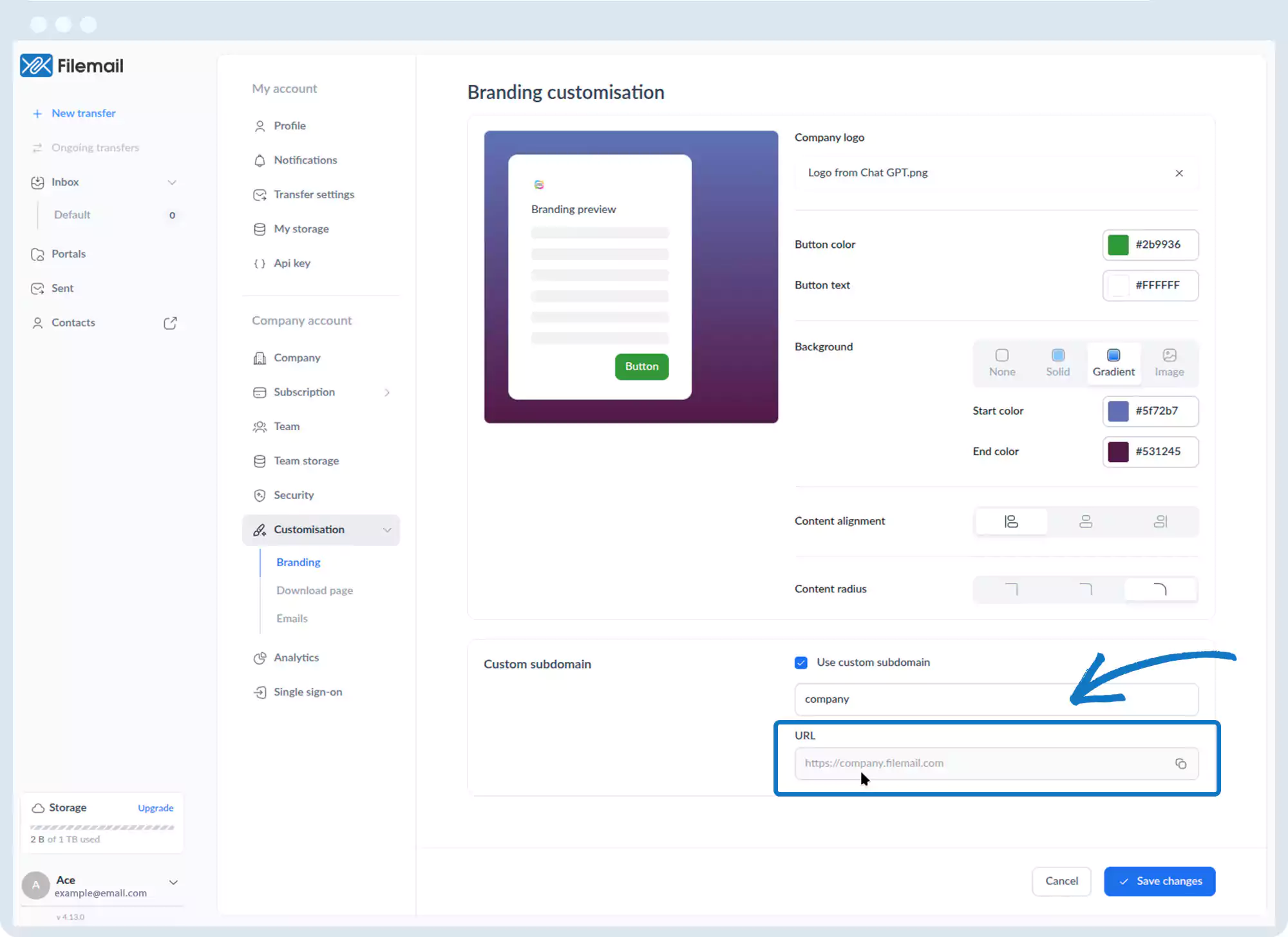
7. Click Save changes.
Go back to the operations manual page