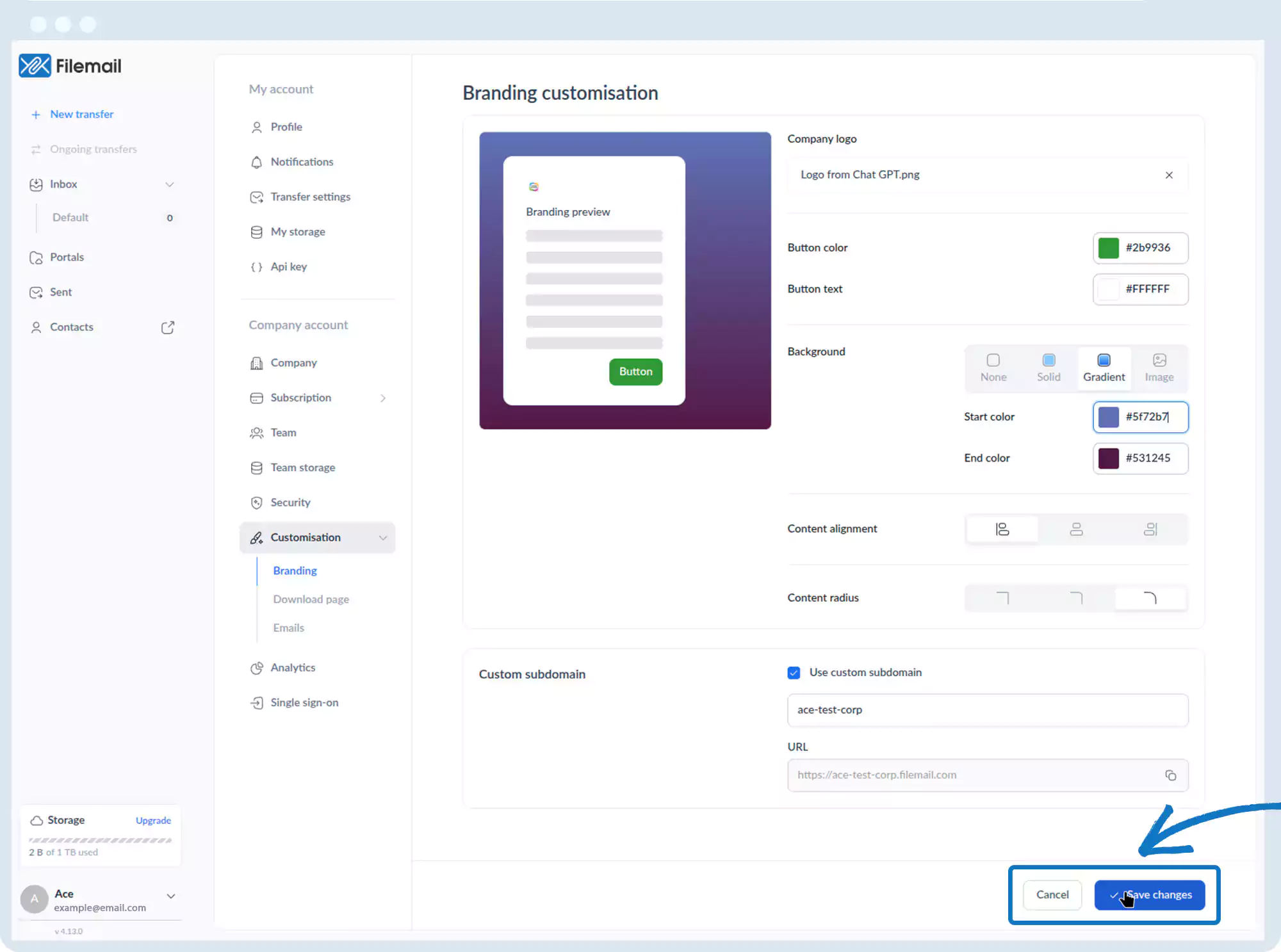
Customization – Branding
1. Go to the bottom left of the window and click on your initials or name.

2. Select Account settings.

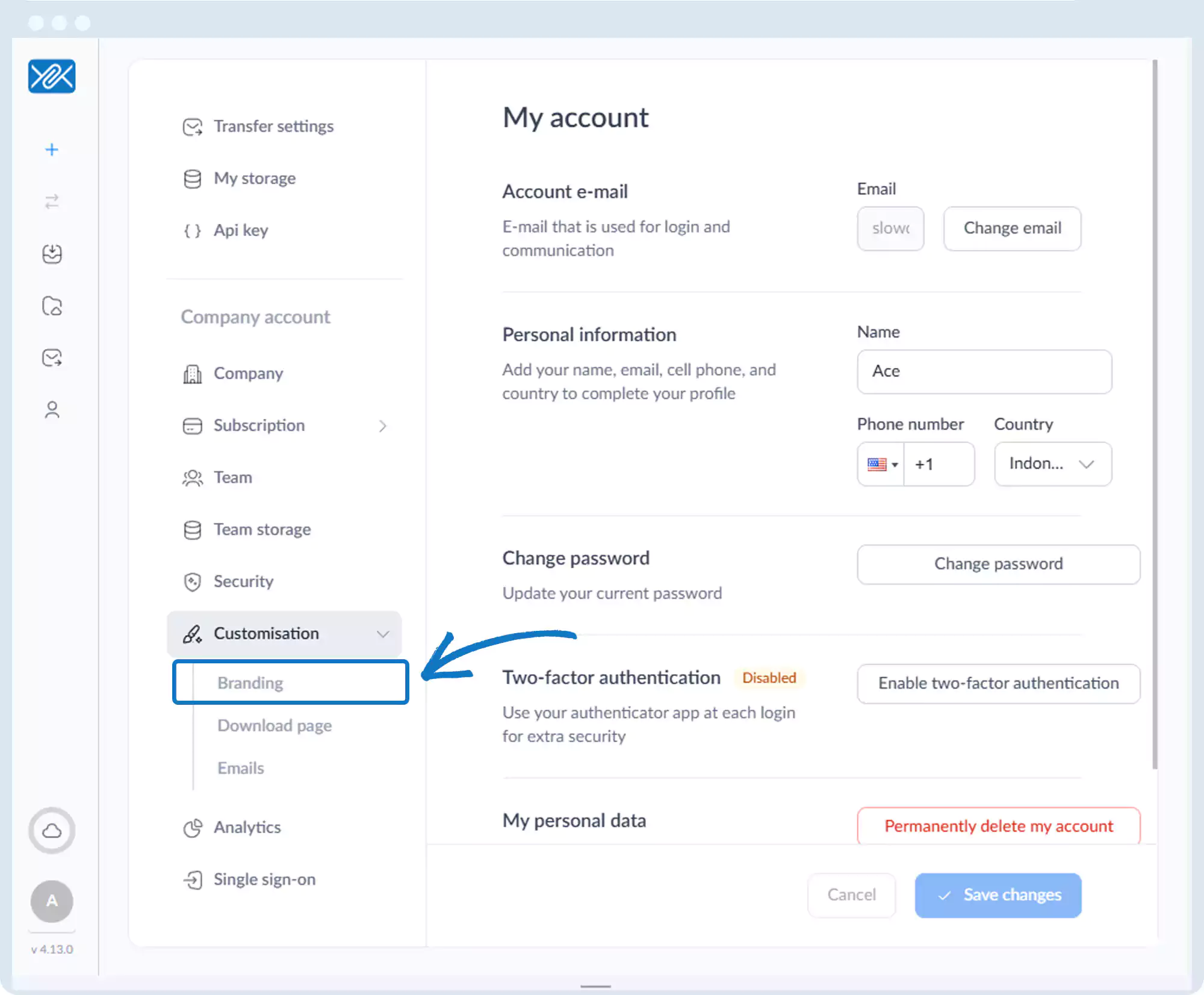
3. Click Customization, then Branding.
4. A live preview appears at the top of the page.
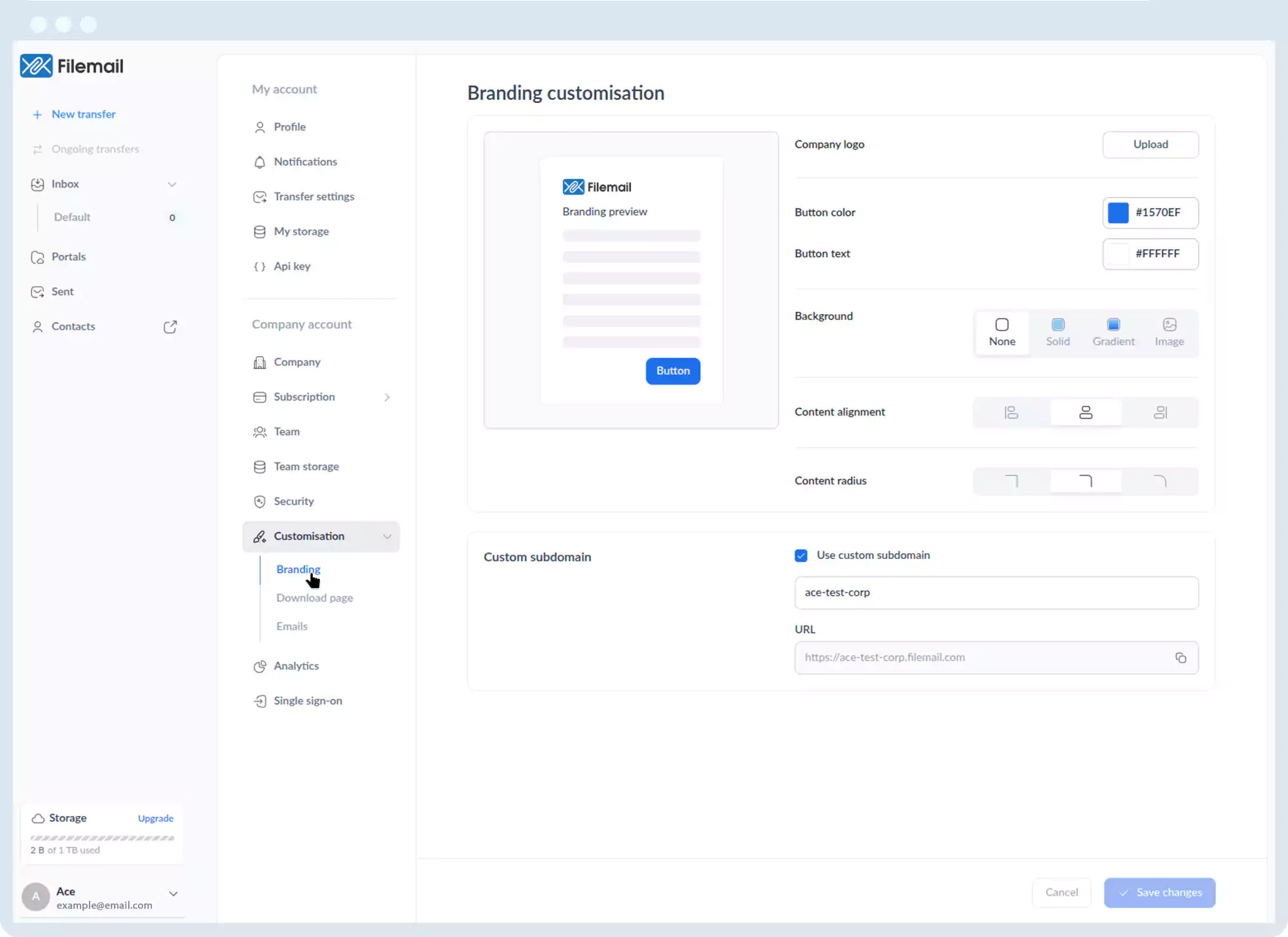
5. Branding options include:
- Upload company logo
- Button colors and text
- Background (solid color, gradient, or image)
- Content alignment
- Content radius (corner rounding)
6. Click Save changes after making updates.
Go back to the operations manual page