Customization – Download Page
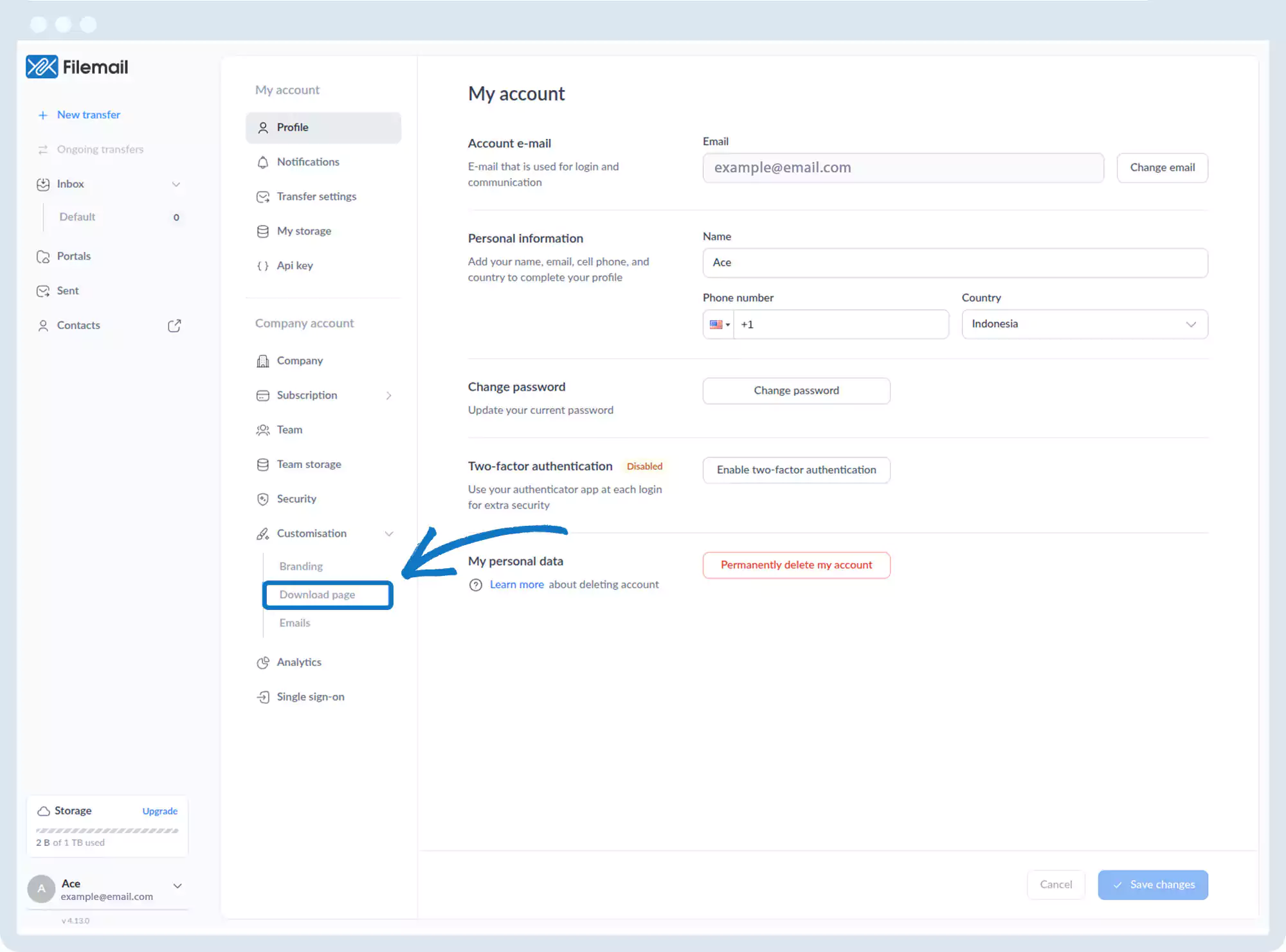
1. Go to the bottom left of the window and click on your initials or name.

2. Select Account settings.

3. Click Customization, then Download Page.
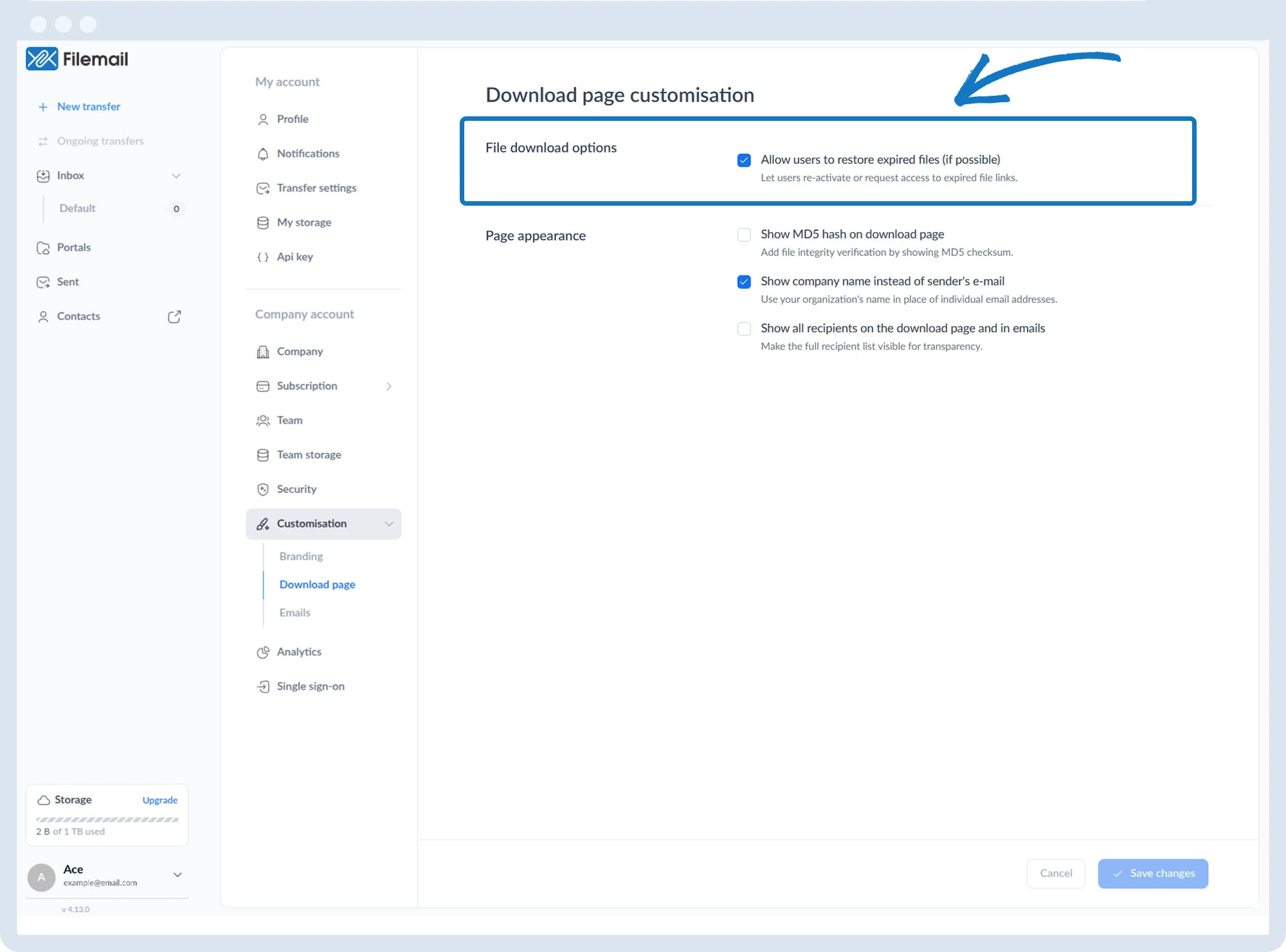
4. Download options:
- Allow restore of expired files (if available)
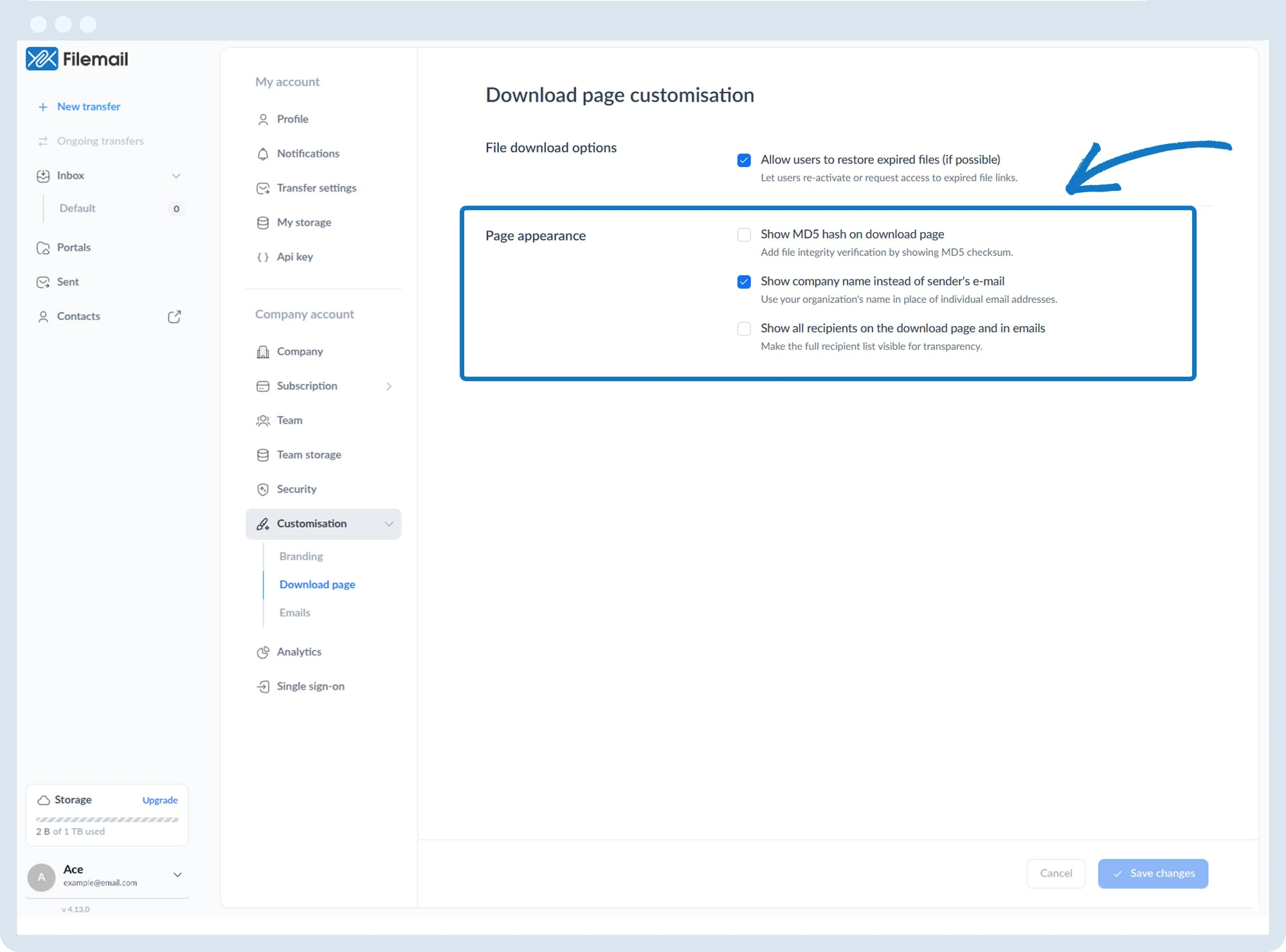
5. Page appearance options:
- Show MD5 hash
- Show company name instead of sender email
- Show all recipients
Go back to the operations manual page