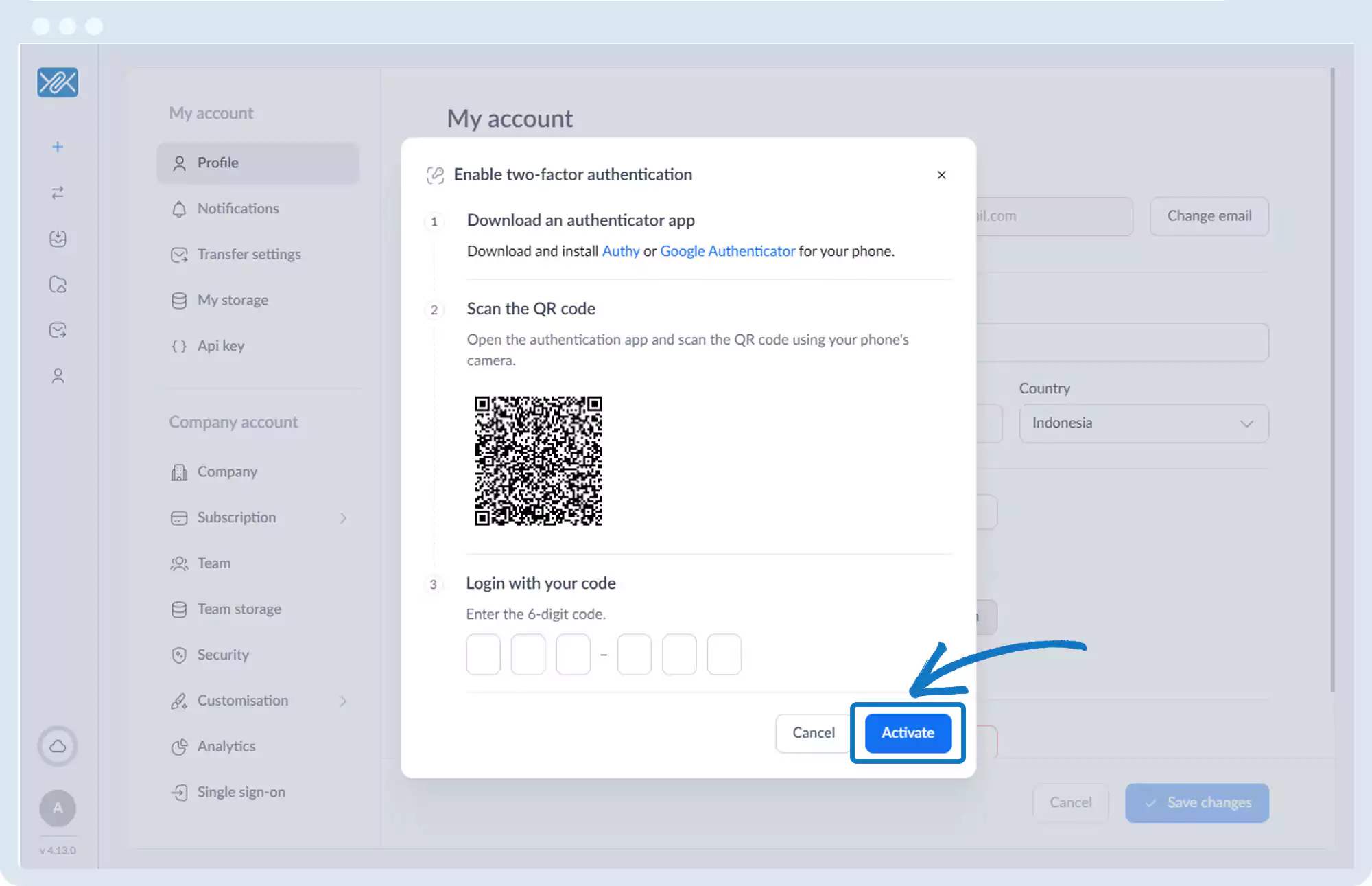
Two-Factor Authentication – Enable
1. Go to the bottom left of the window and click on your initials or name.

2. Select Account settings.

3. Click Profile.
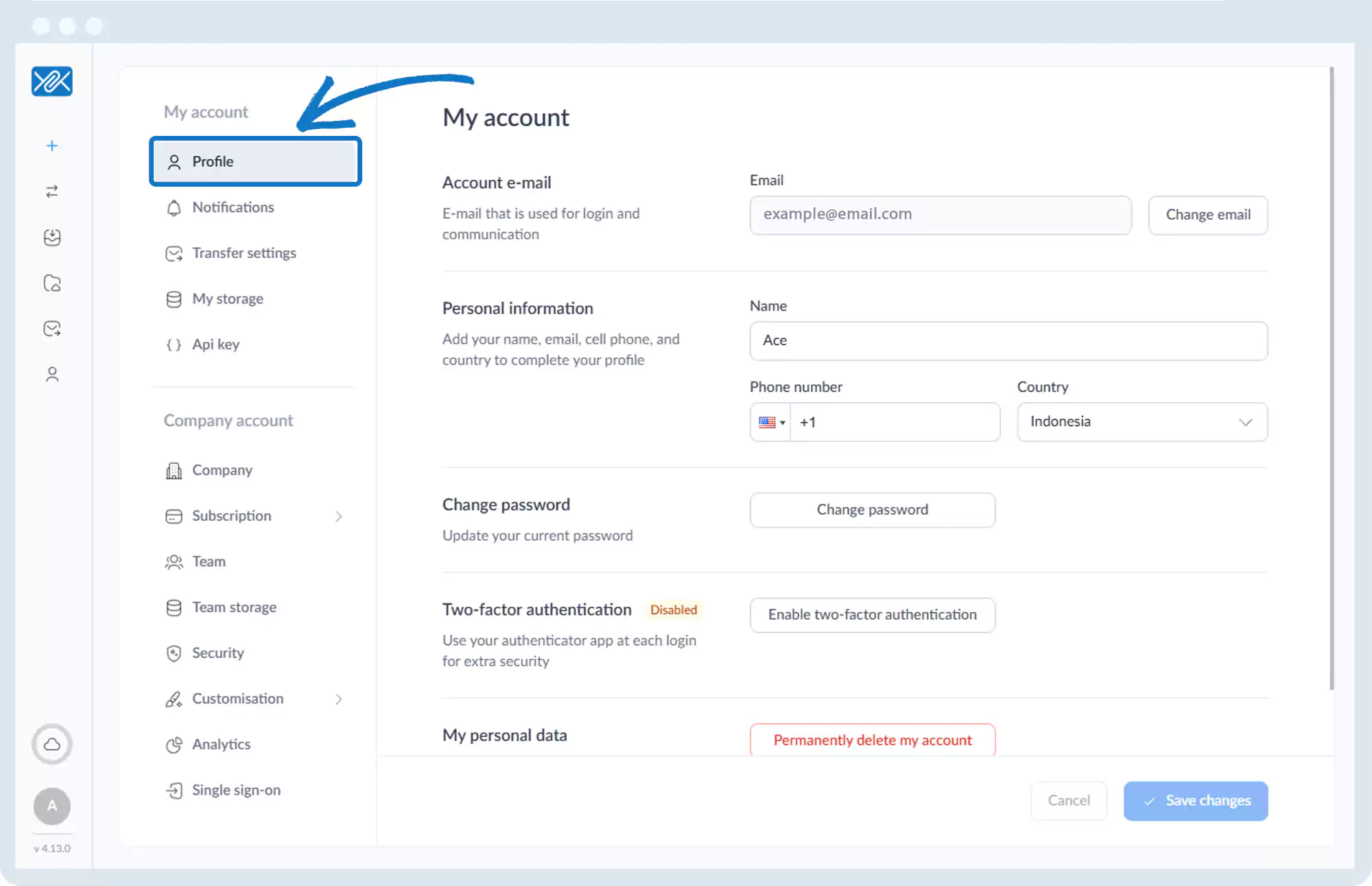
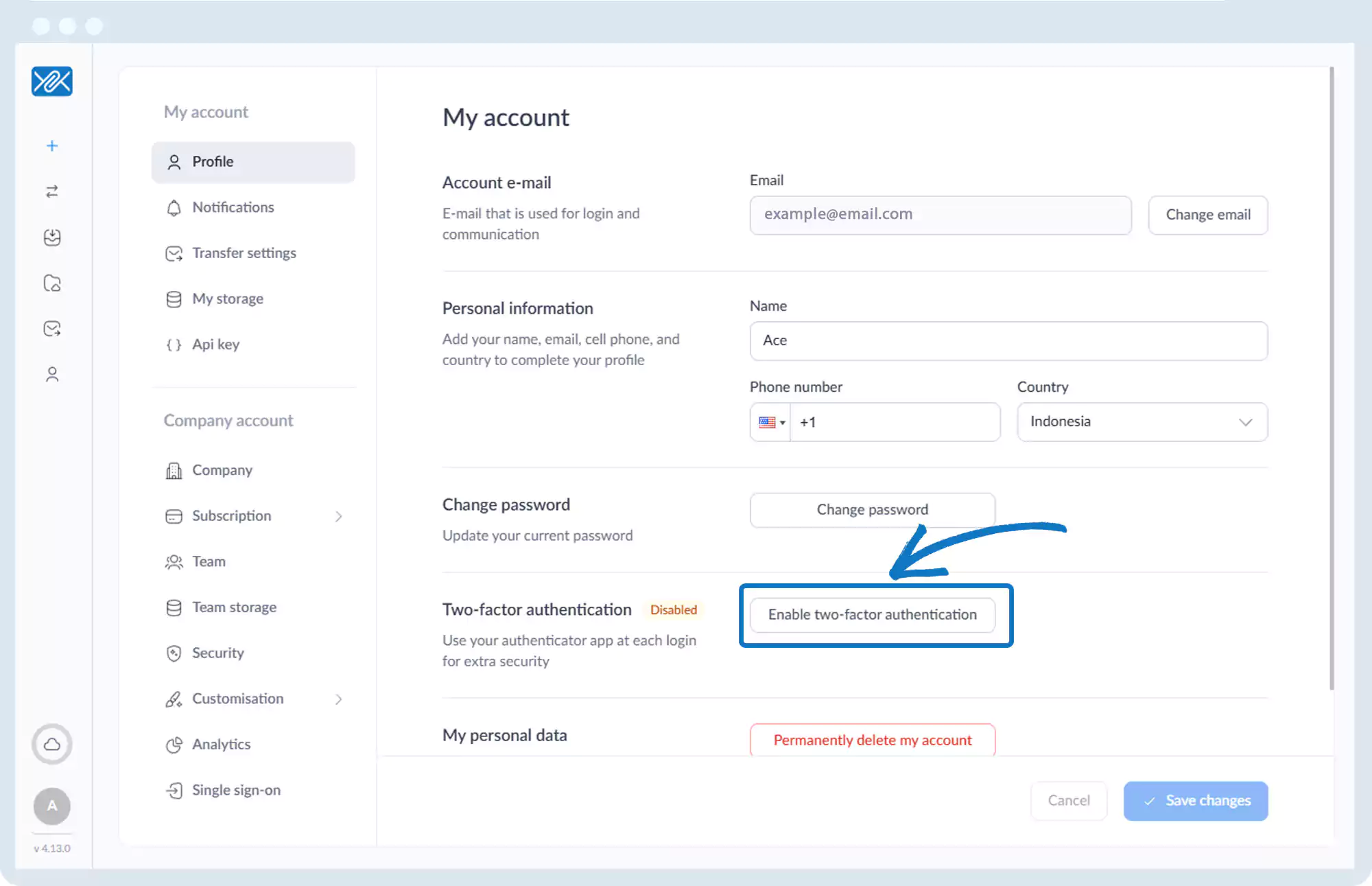
4. Click Enable two-factor authentication.
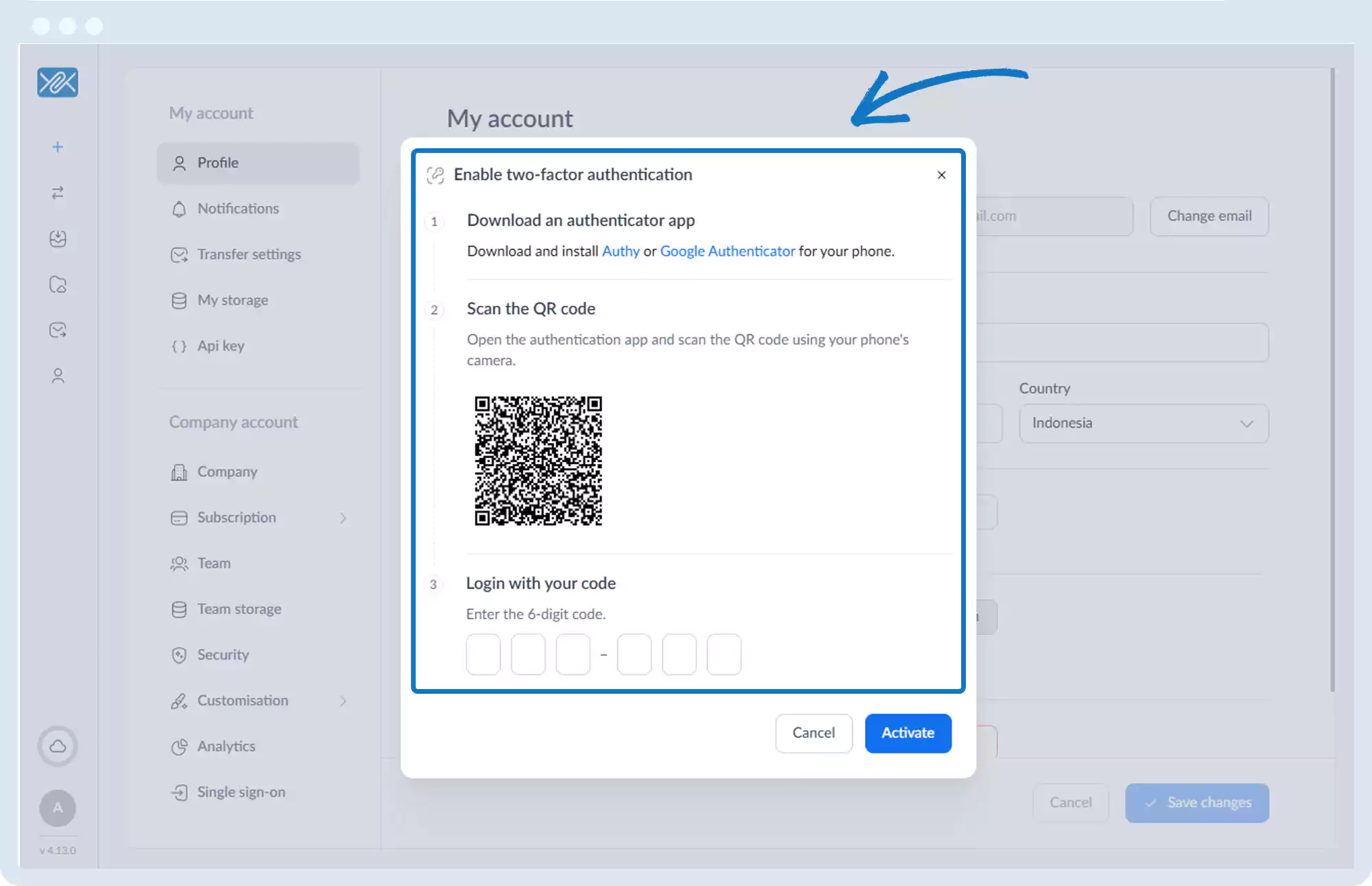
5. Follow the on-screen steps:
- Install an authenticator app
- Scan the QR code
- Enter the generated code
6. Click Activate.
Go back to the operations manual page