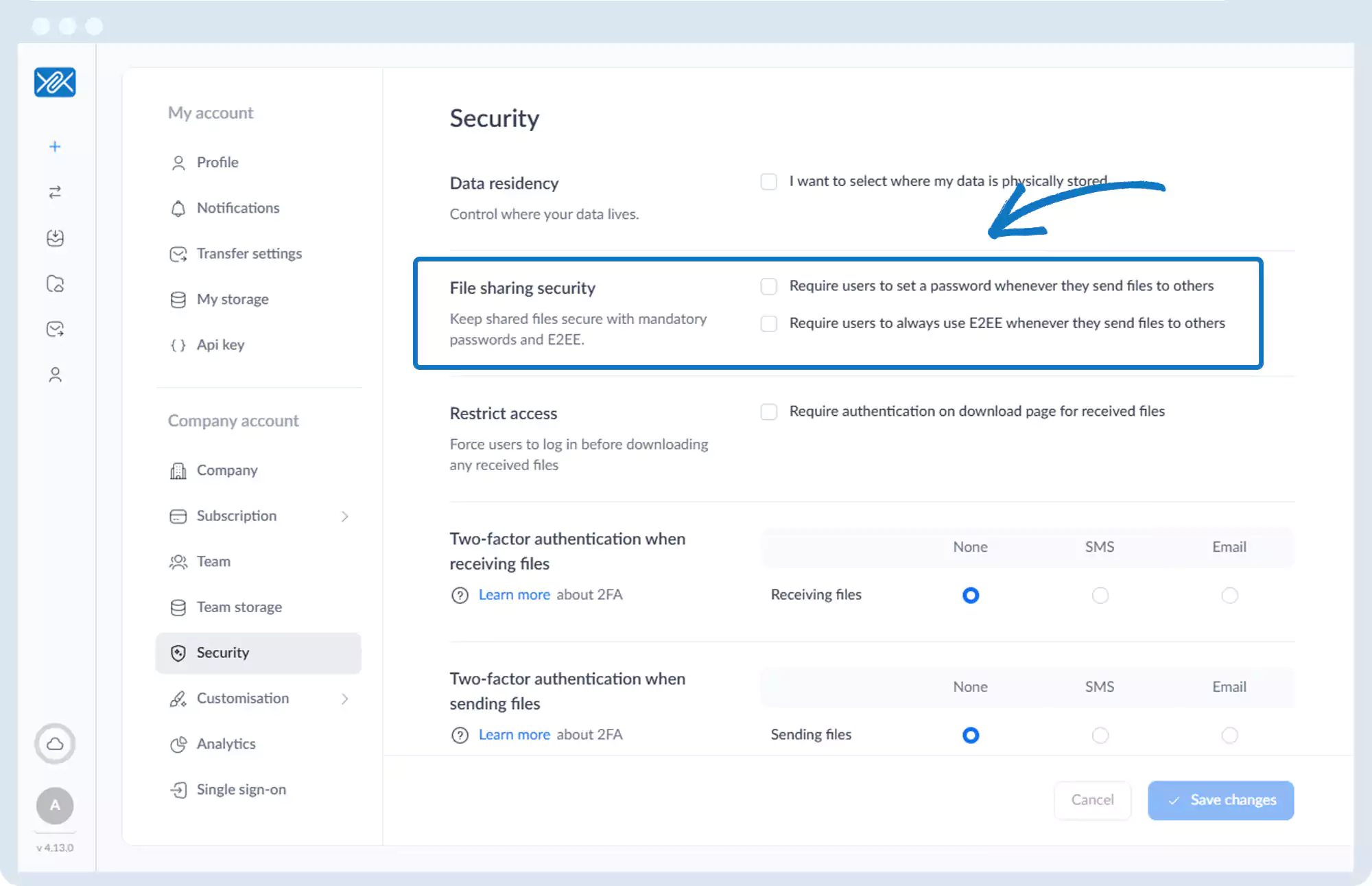
File Sharing Security
1. Go to the bottom left of the window and click on your initials or name.

2. Select Account settings.

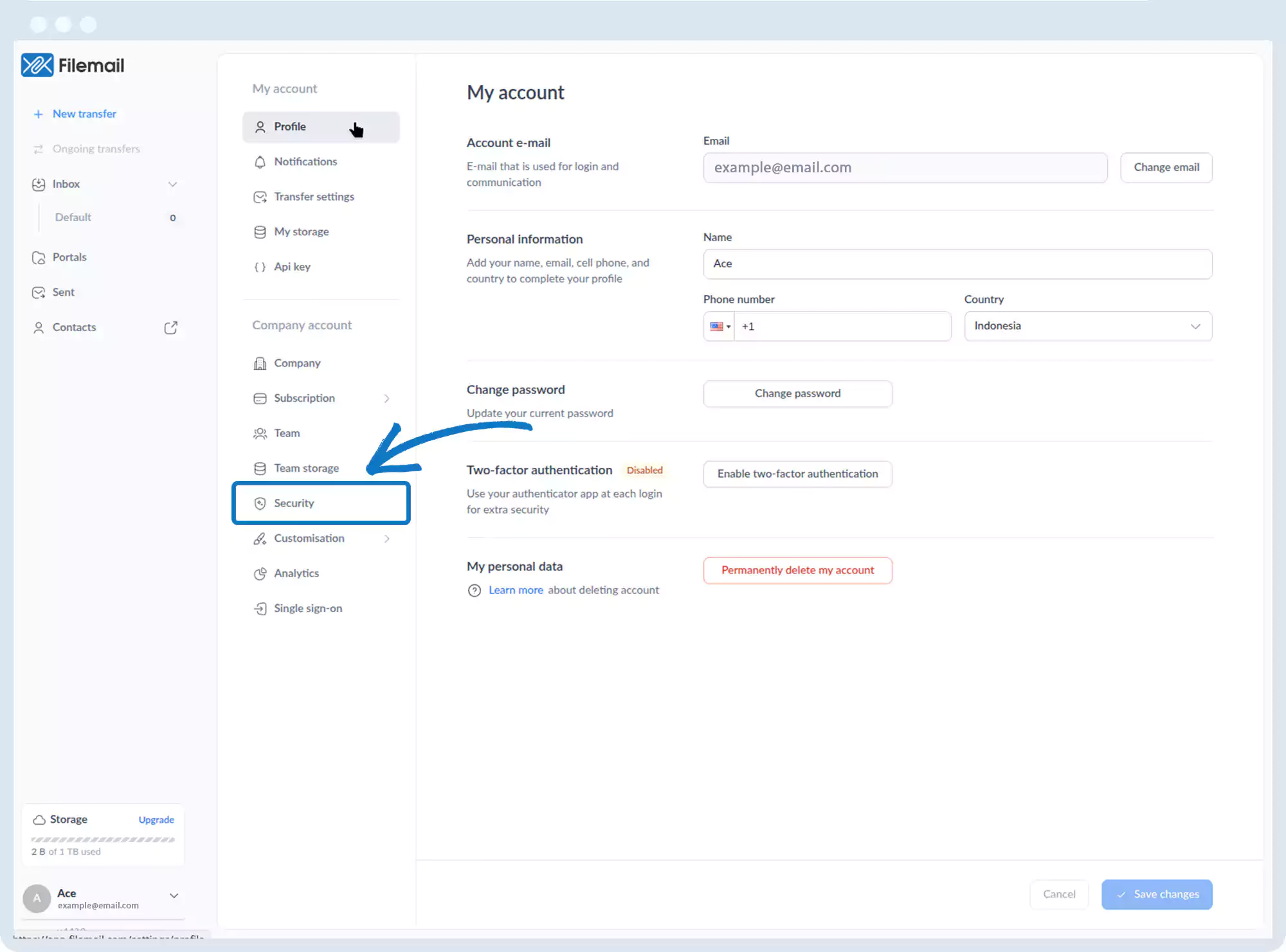
3. Click Security in the left sidebar.
4. Under File Sharing Security, you can:
- Require users to set a password when sending files
- Require users to always use End-to-End Encryption (E2EE)
Go back to the operations manual page