File Upload Form Integration
Integrate a Filemail portal on your website to receive files from visitors.
Documentation:
https://docs.filemail.com/integrations/integrate-portal-page
The following is the generic embed code:
<div data-filemail-widget="uploader" data-company-id="{AccountID}"></div>
<script type="text/javascript" src="https://www.filemail.com/widgets/embed/uploader"></script>
Specifically you will update data-company-id="{AccountID}" with your account ID.
To find your account ID:
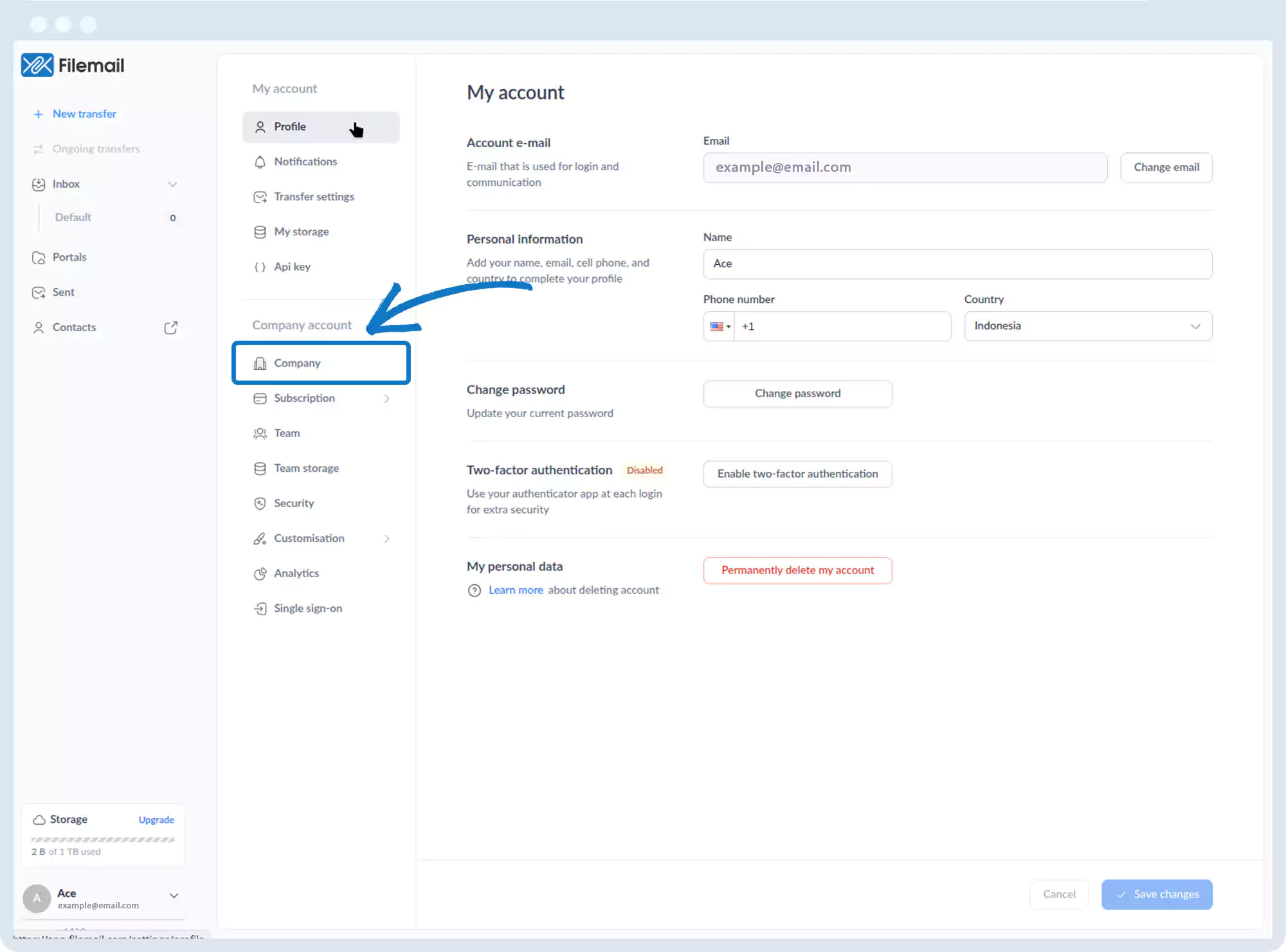
1. Go to the bottom left of the window and click on your initials or name.

2. Select Account settings.

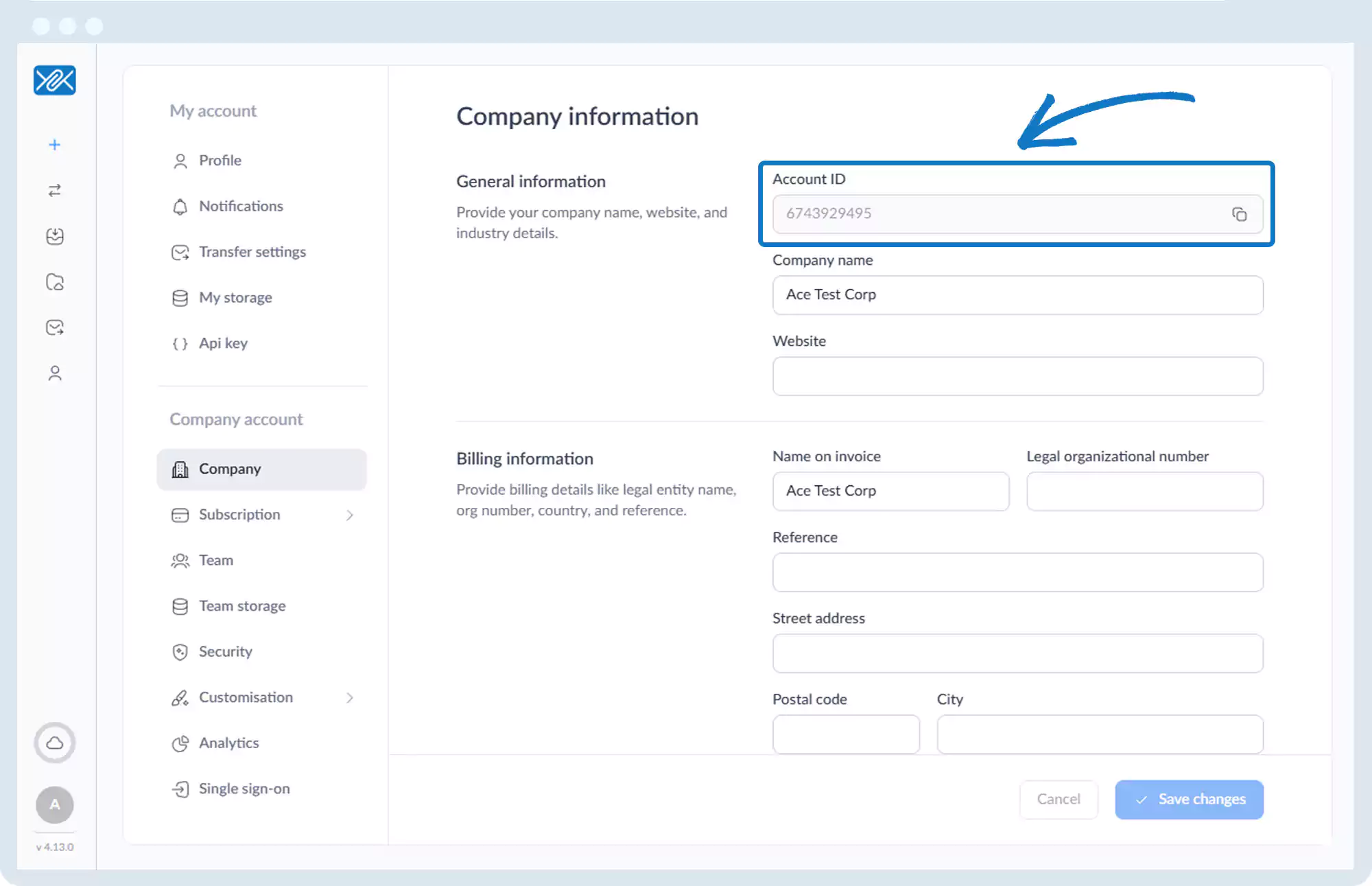
3. Under Company account, click on Company
4. On the Company information page the first row contains your Account ID, which you can copy and paste into the above code.
5. Now paste the full updated HTML embed code onto the desired page on your site.
6. You have now integrated the file upload form on your site.
Note: You must create a portal before embedding. You may use your default portal.
Go back to the operations manual page