Modify Notifications
1. Go to the bottom left of the window and click on your initials or name.

2. Select Account settings.

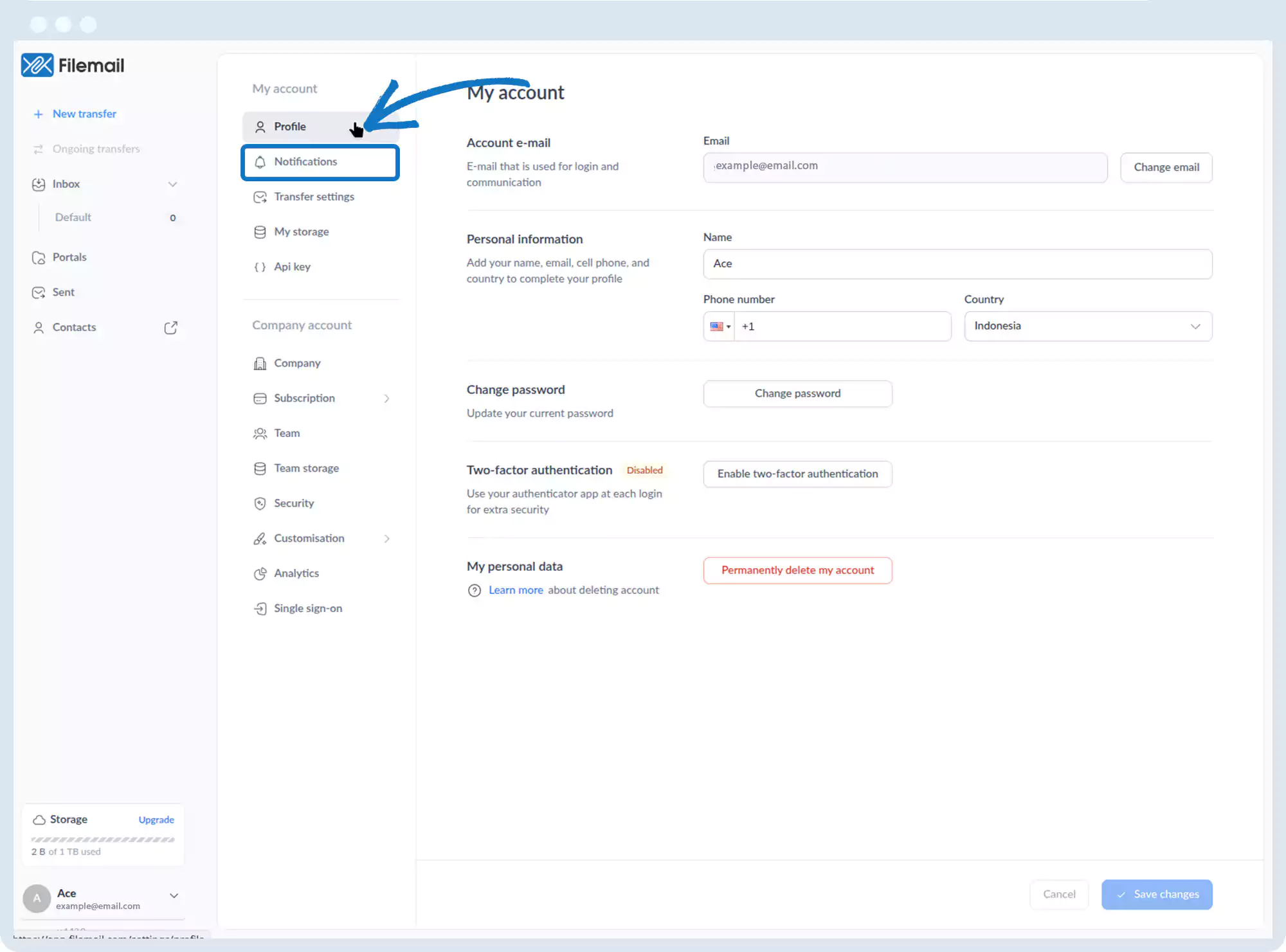
3. Click Notifications.
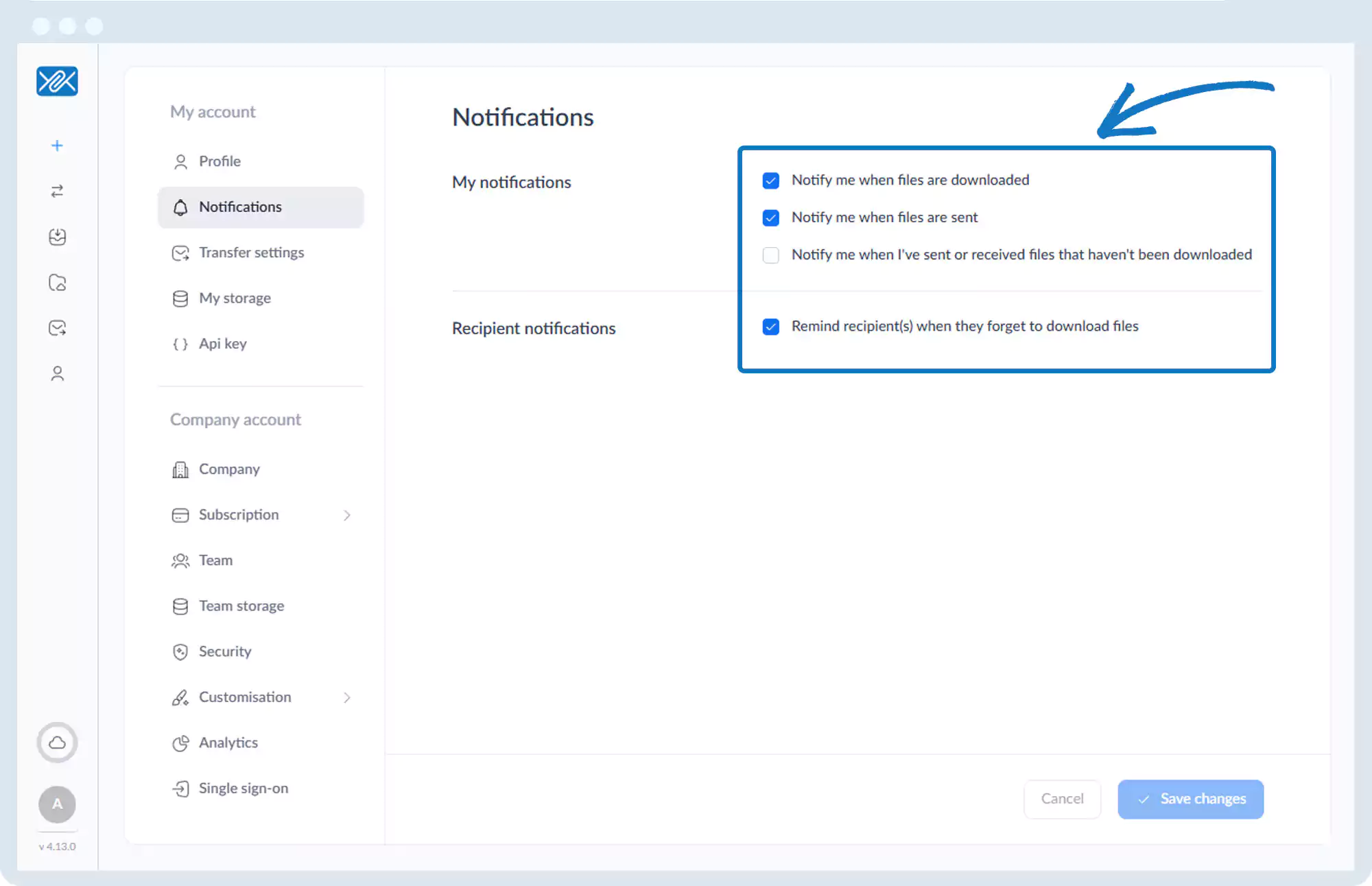
4. You can enable or disable:
- Notifications when files are downloaded
- Notifications when files are sent
- Notifications for files not downloaded
- Reminder emails to recipients
Go back to the operations manual page