Send Files – Share Large Files Using a Secure Link
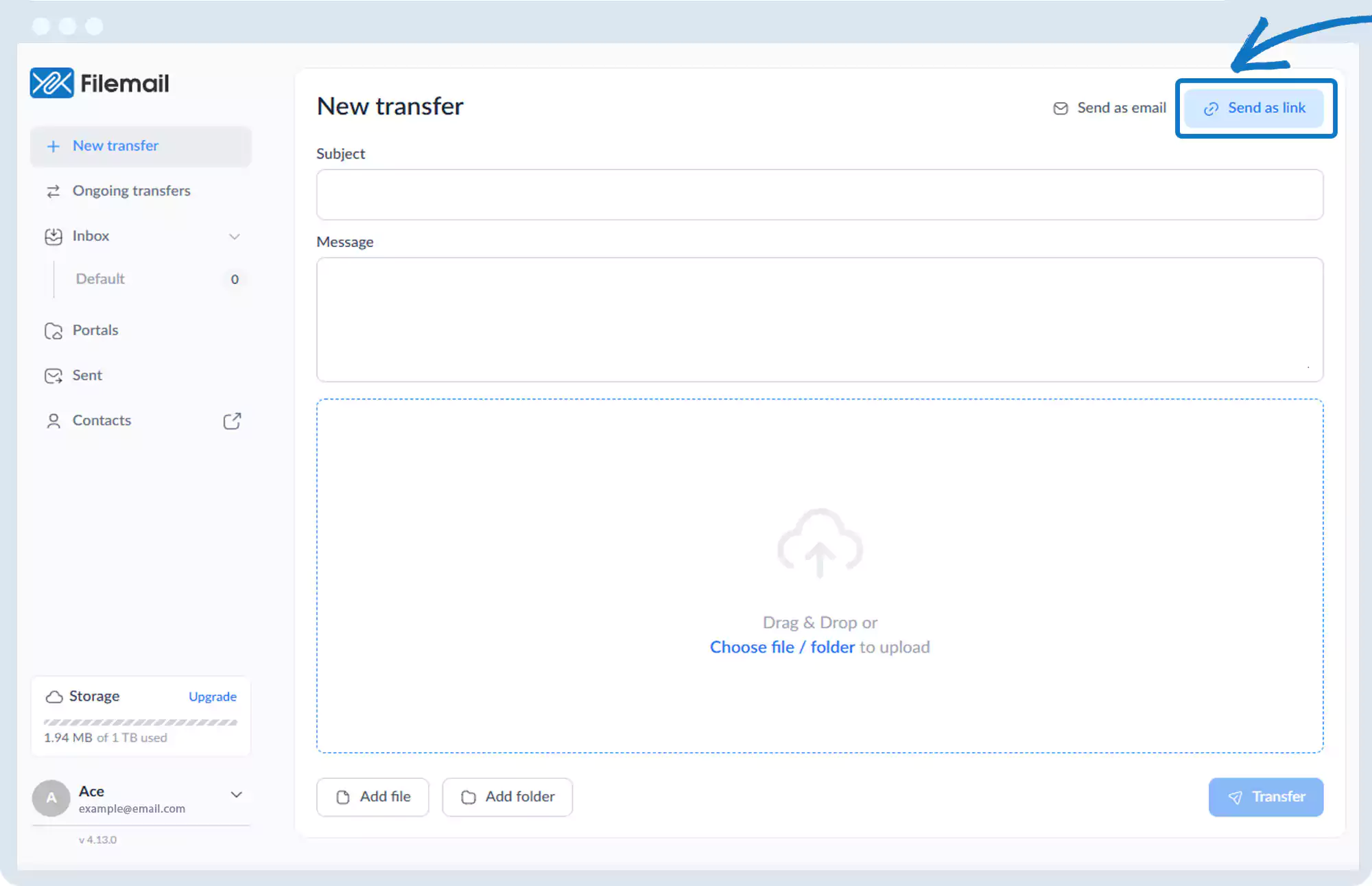
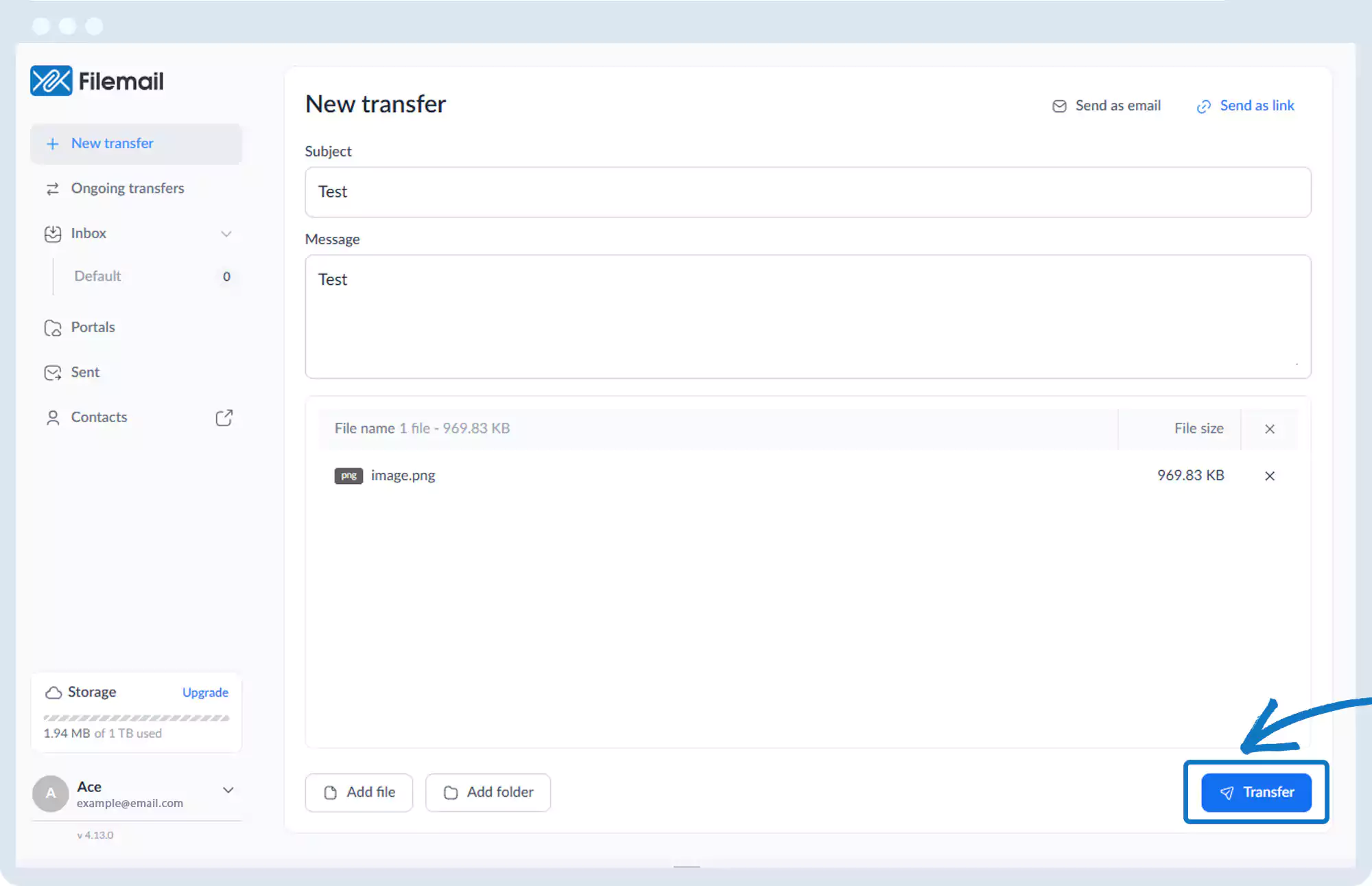
1. Click New transfer and then Send as link in the top-right of the window.
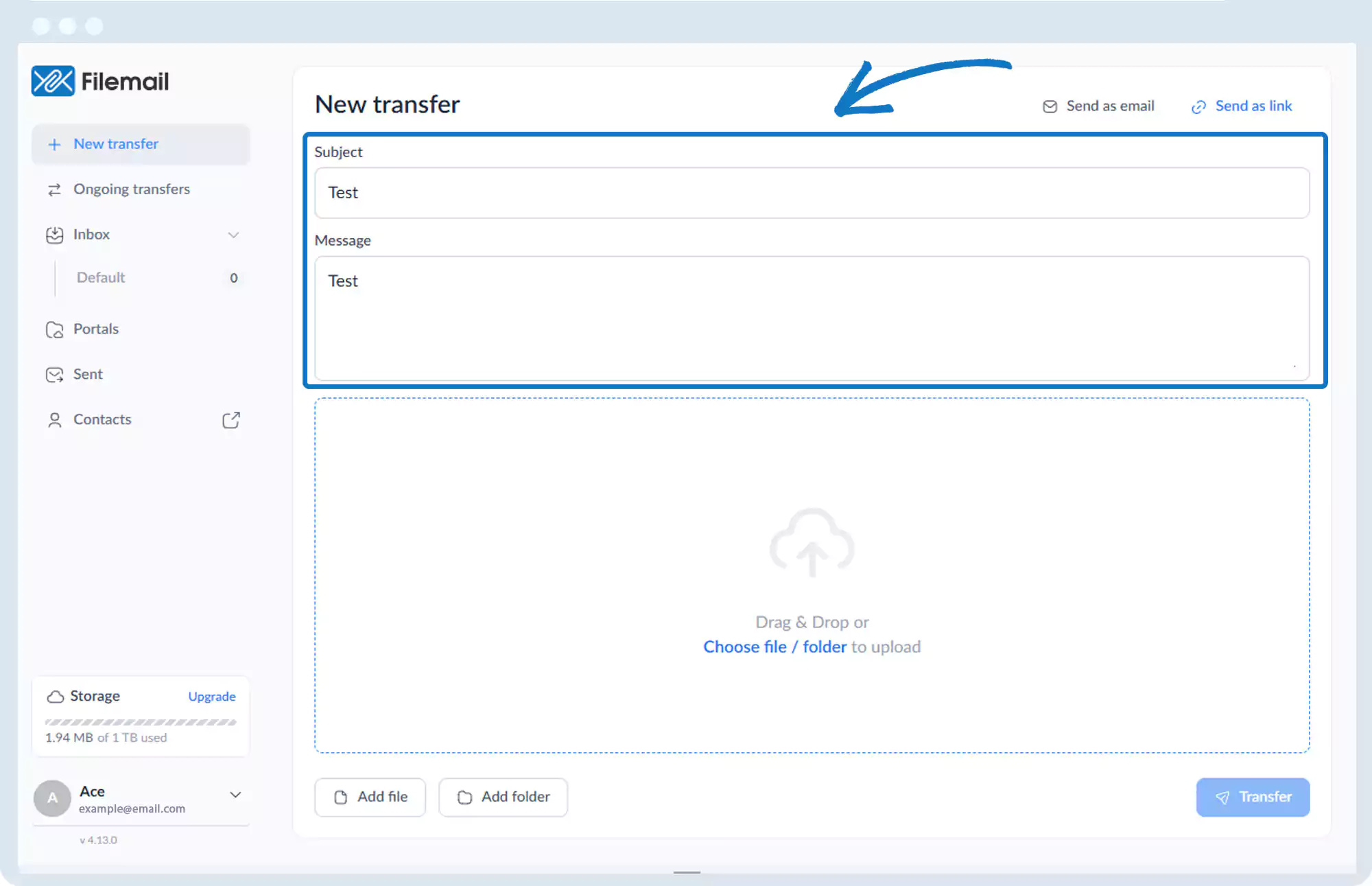
2. Enter a subject and optional message.
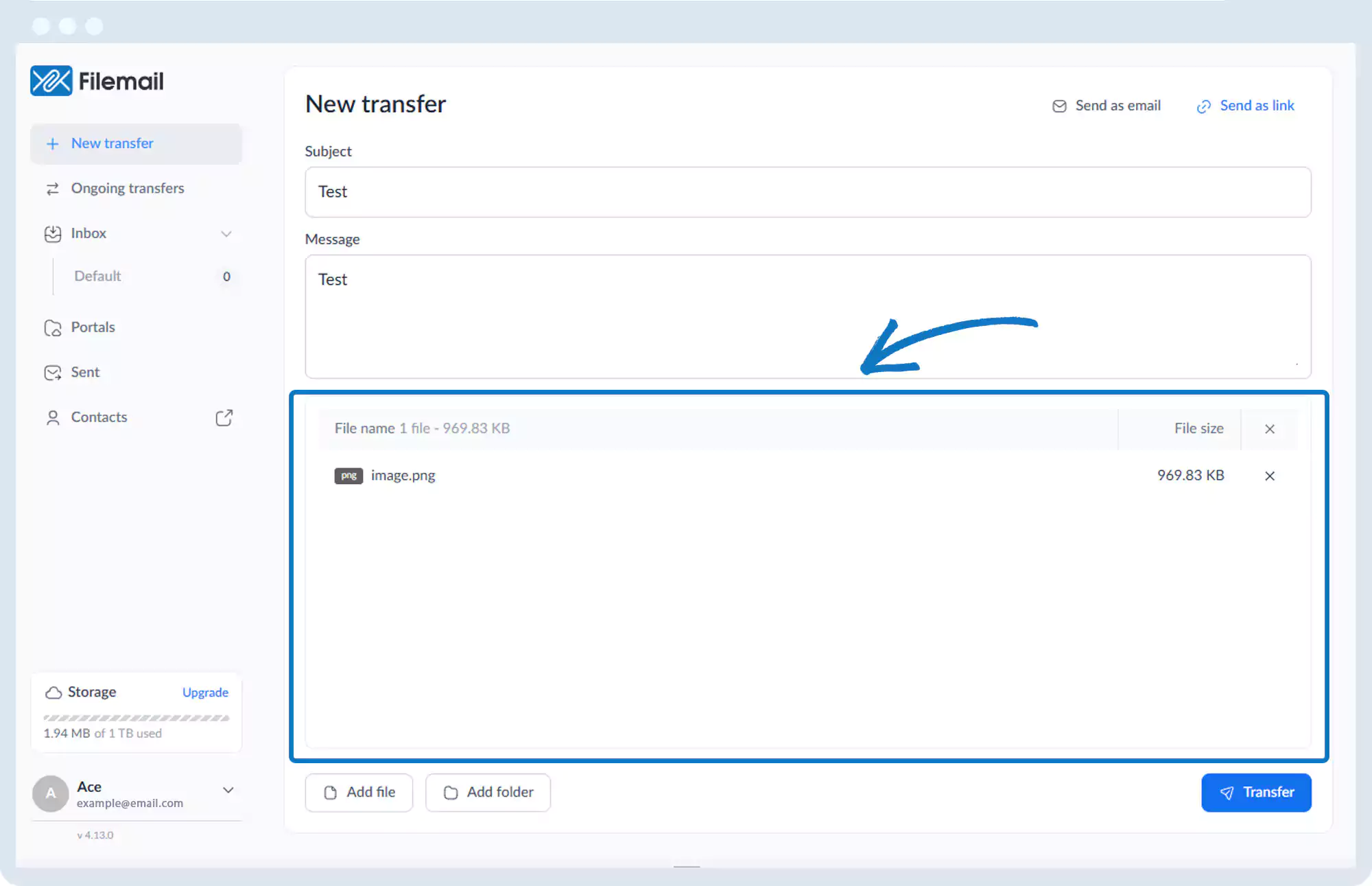
3. Add files or folders using:
- Add file or Add folder, or
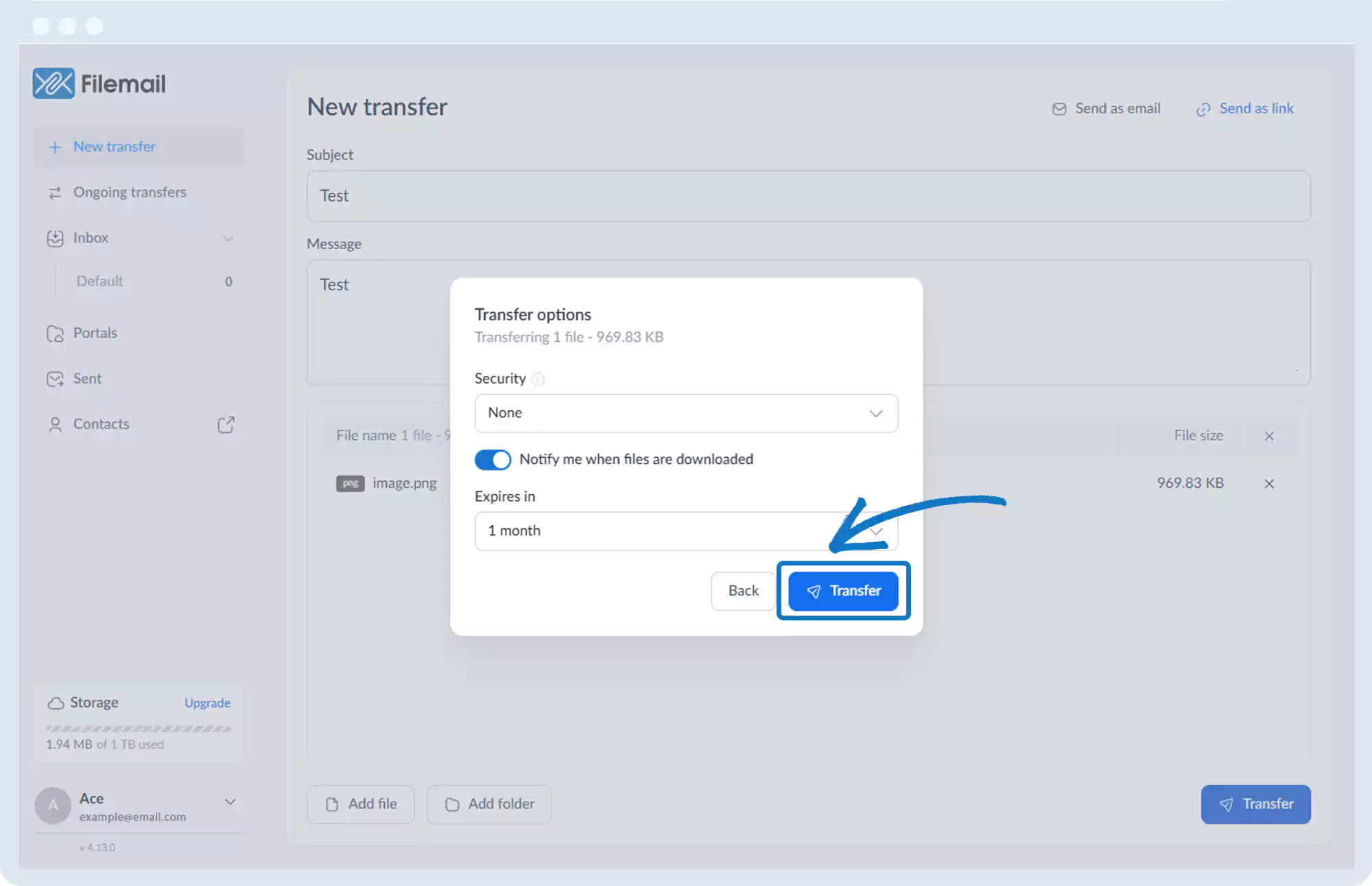
- Drag and drop files into the window
4. Click Transfer.
5. In the Transfer Options pop-up:
- Set notification preferences
- Define file availability duration
- Configure security options if available
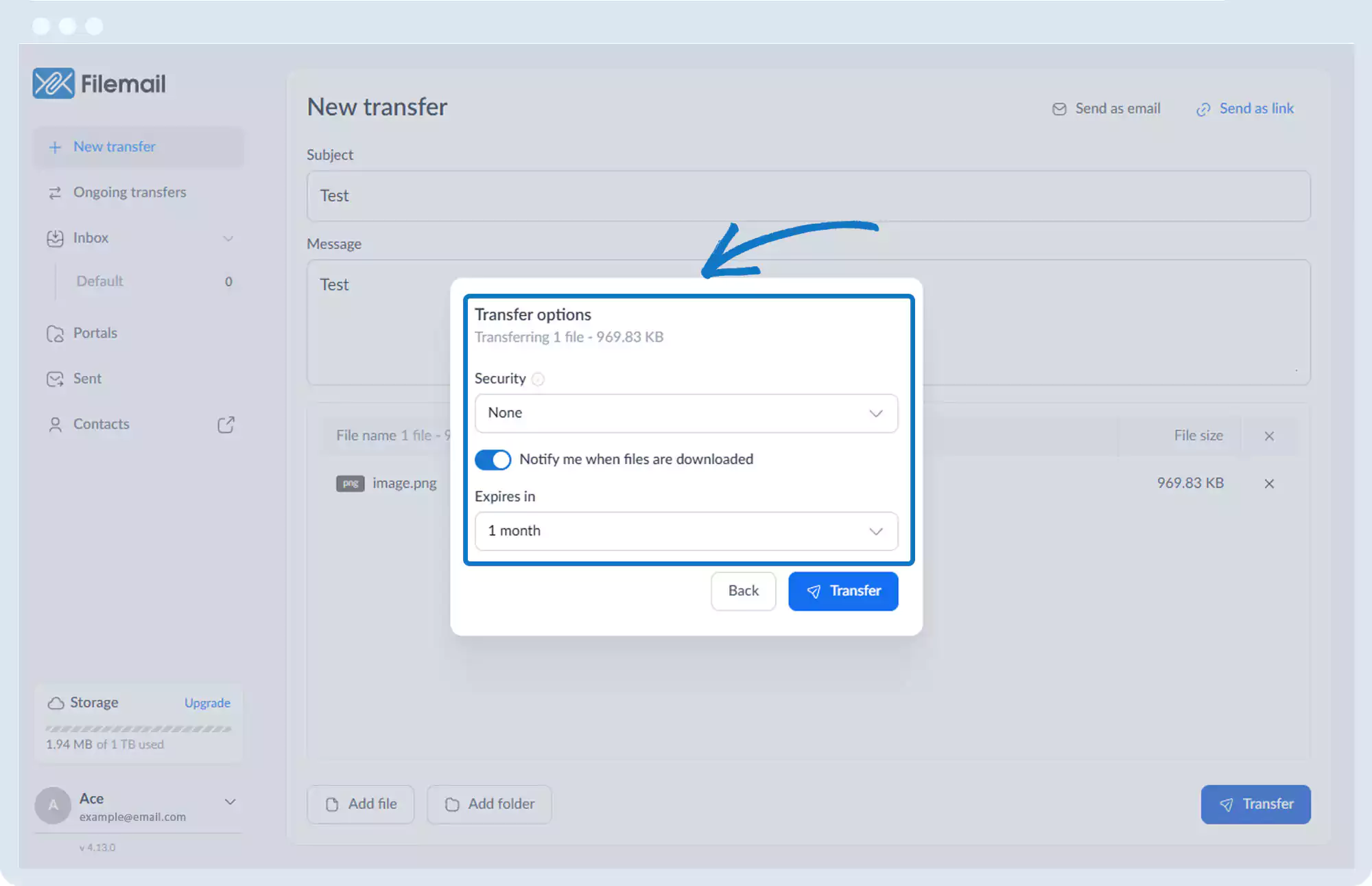
6. Click Transfer.
7. Once uploaded, copy and share the secure download link.
Go back to the operations manual page