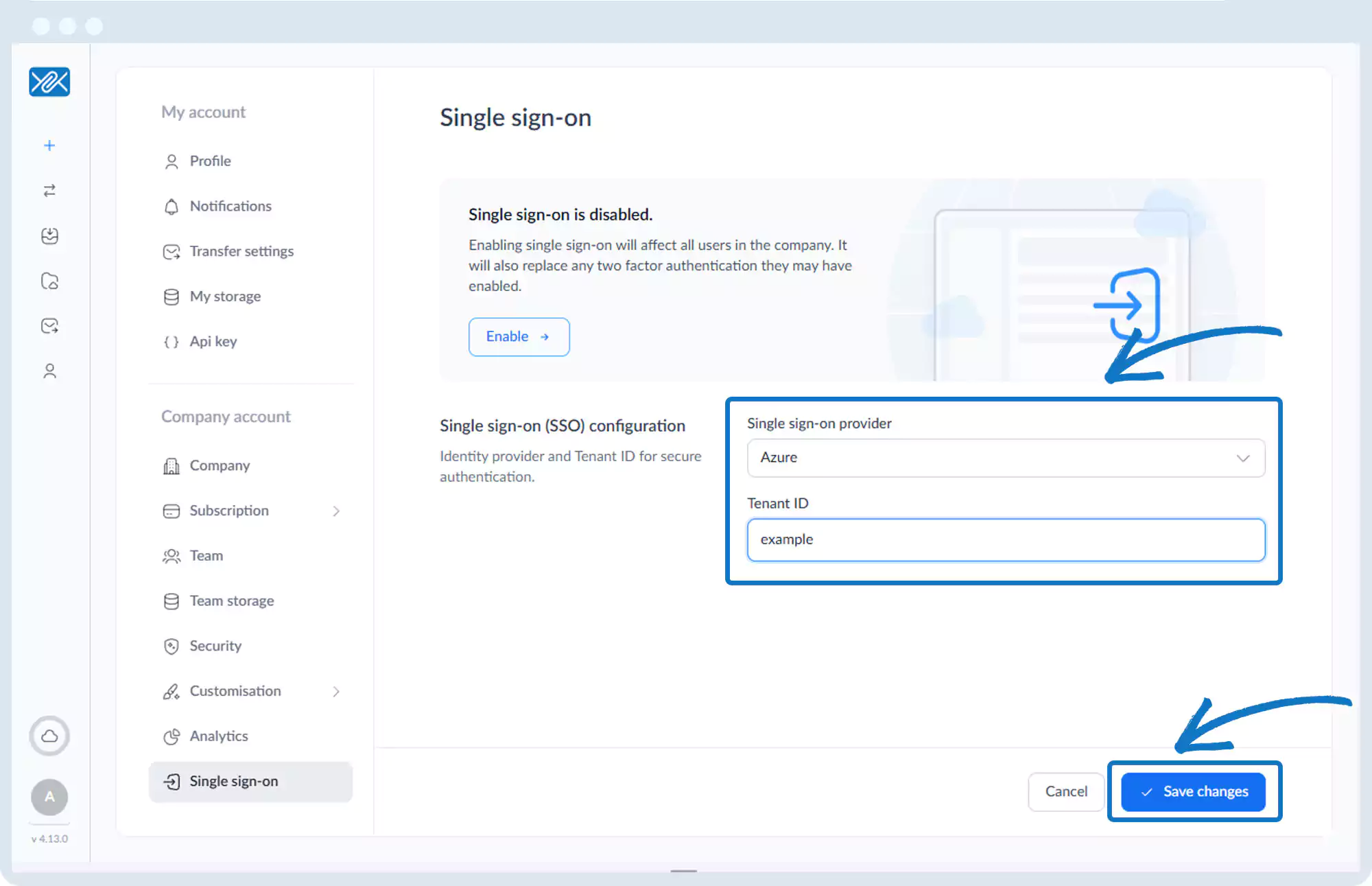
Single Sign-On (SSO)
1. Go to the bottom left of the window and click on your initials or name.

2. Select Account settings.

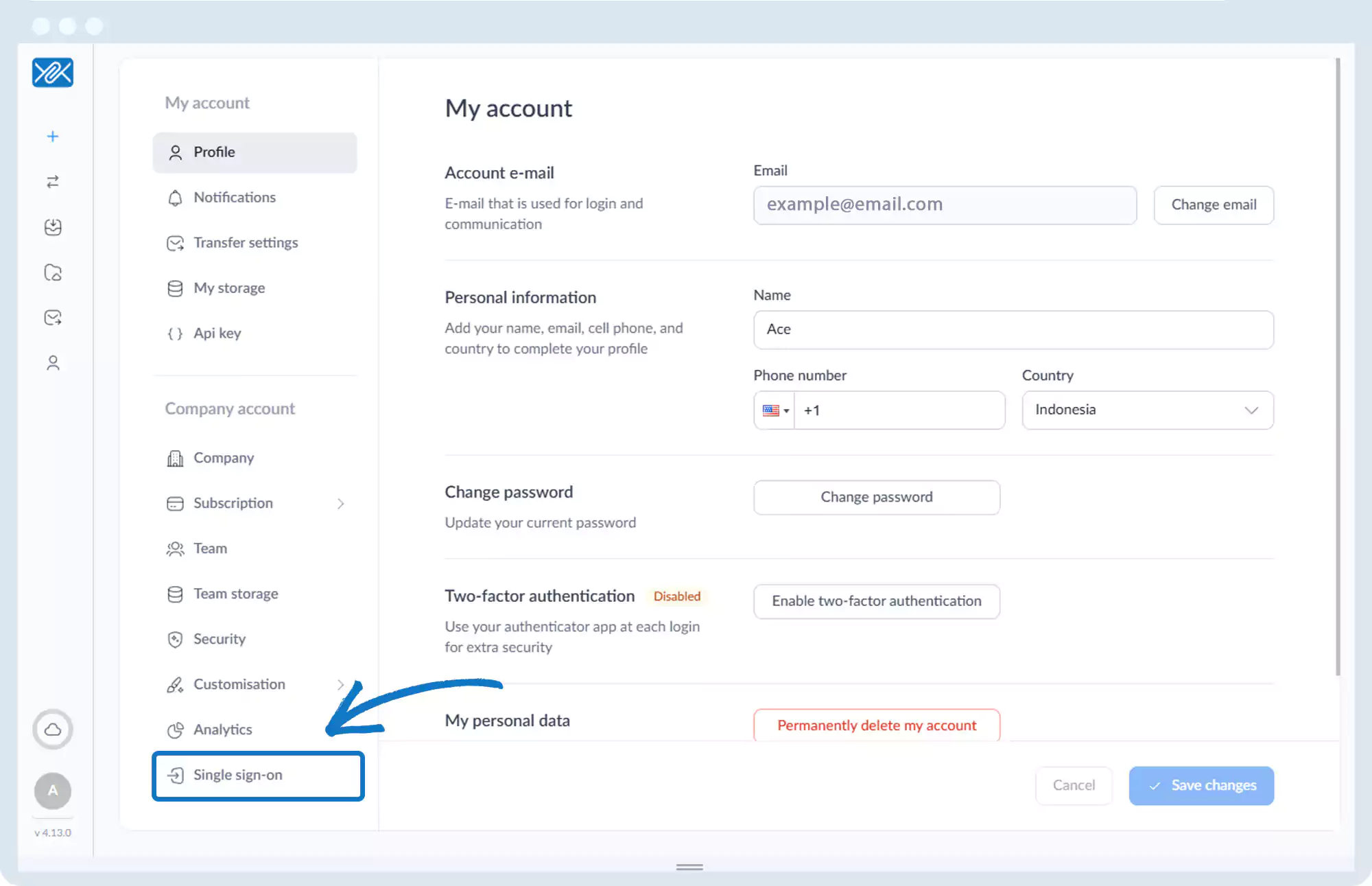
3. Click Single Sign-On in the left sidebar.
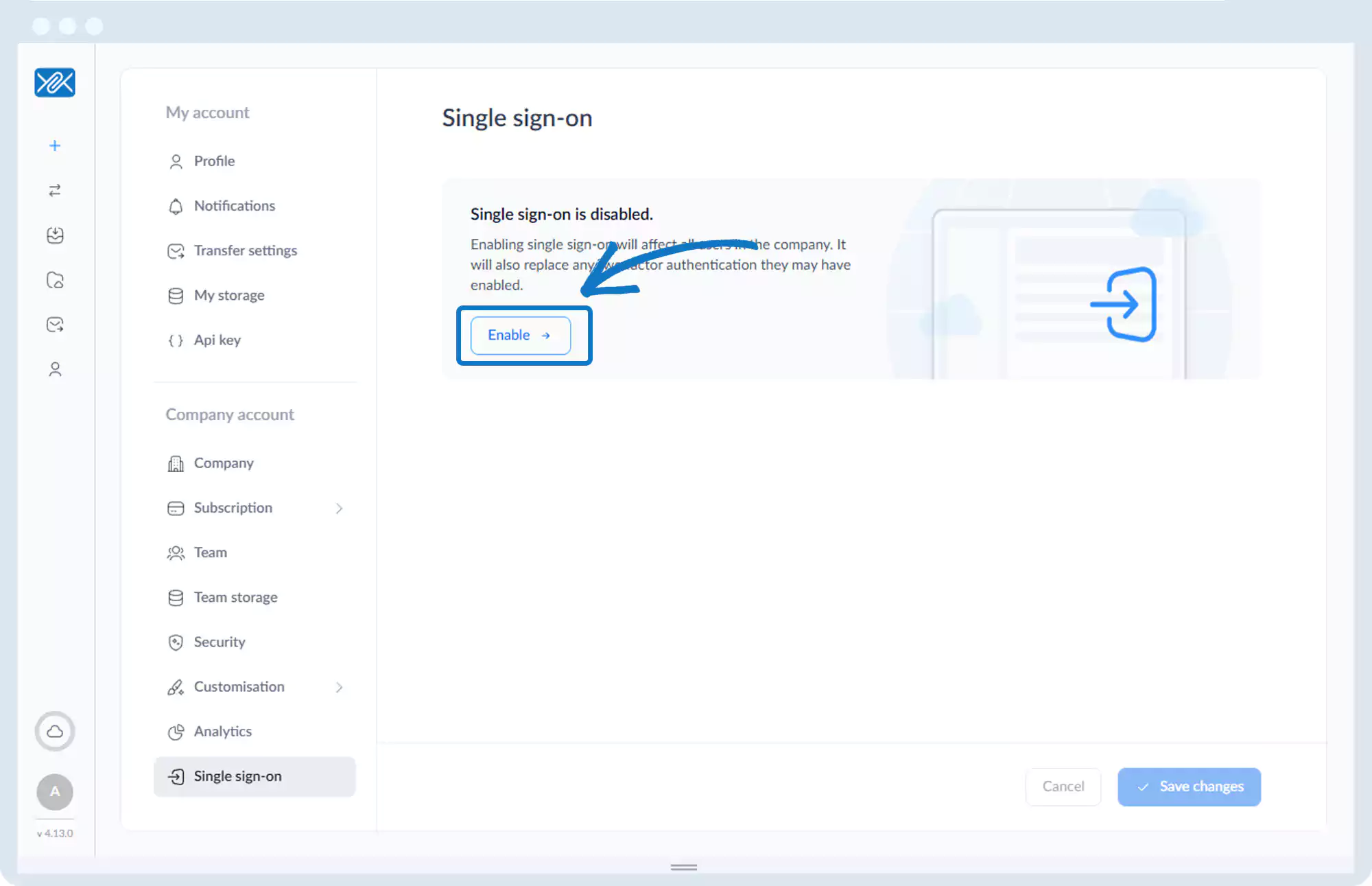
4. Click Enable.
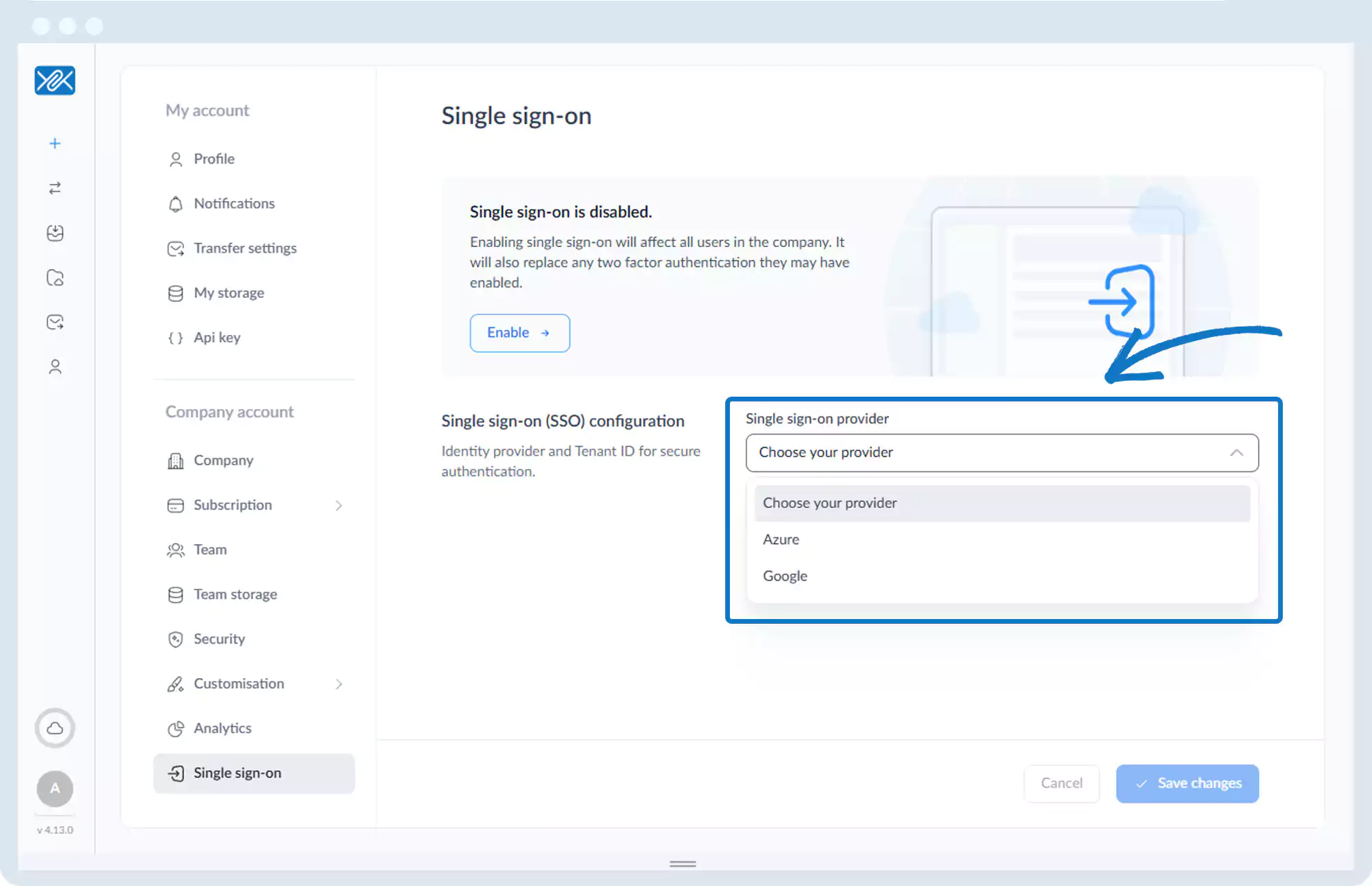
5. Select an identity provider:
- Azure
6. If using:
- Azure: Enter the Tenant ID and click Save changes
- Google: Click Sign in with Google and follow the prompts
Go back to the operations manual page