Storage – Cleanup Team Members Storage
Note: There is no confirmation prompt before deletion.
1. Go to the bottom left of the window and click on your initials or name.

2. Select Account settings.

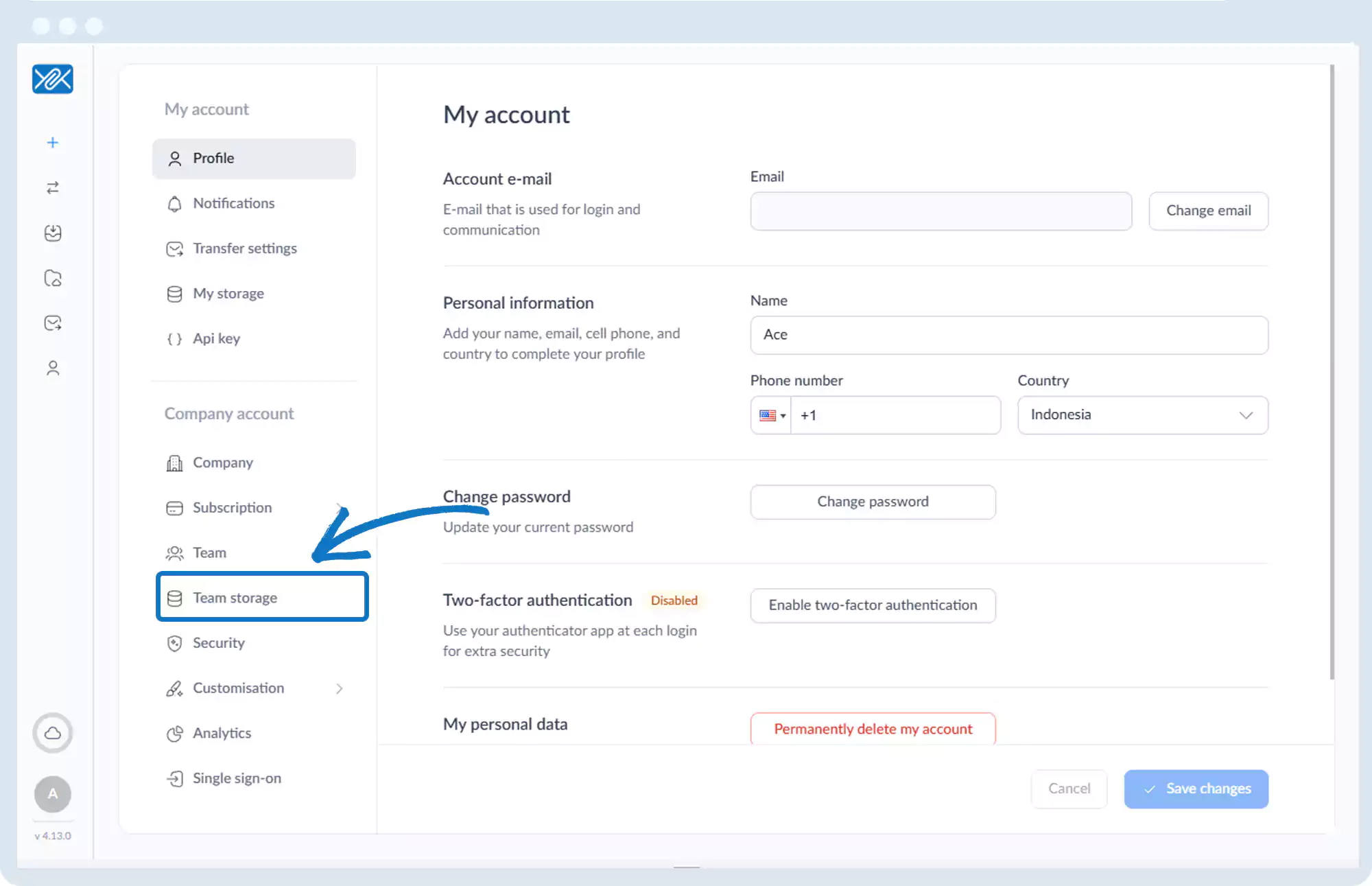
3. Click Team Storage.
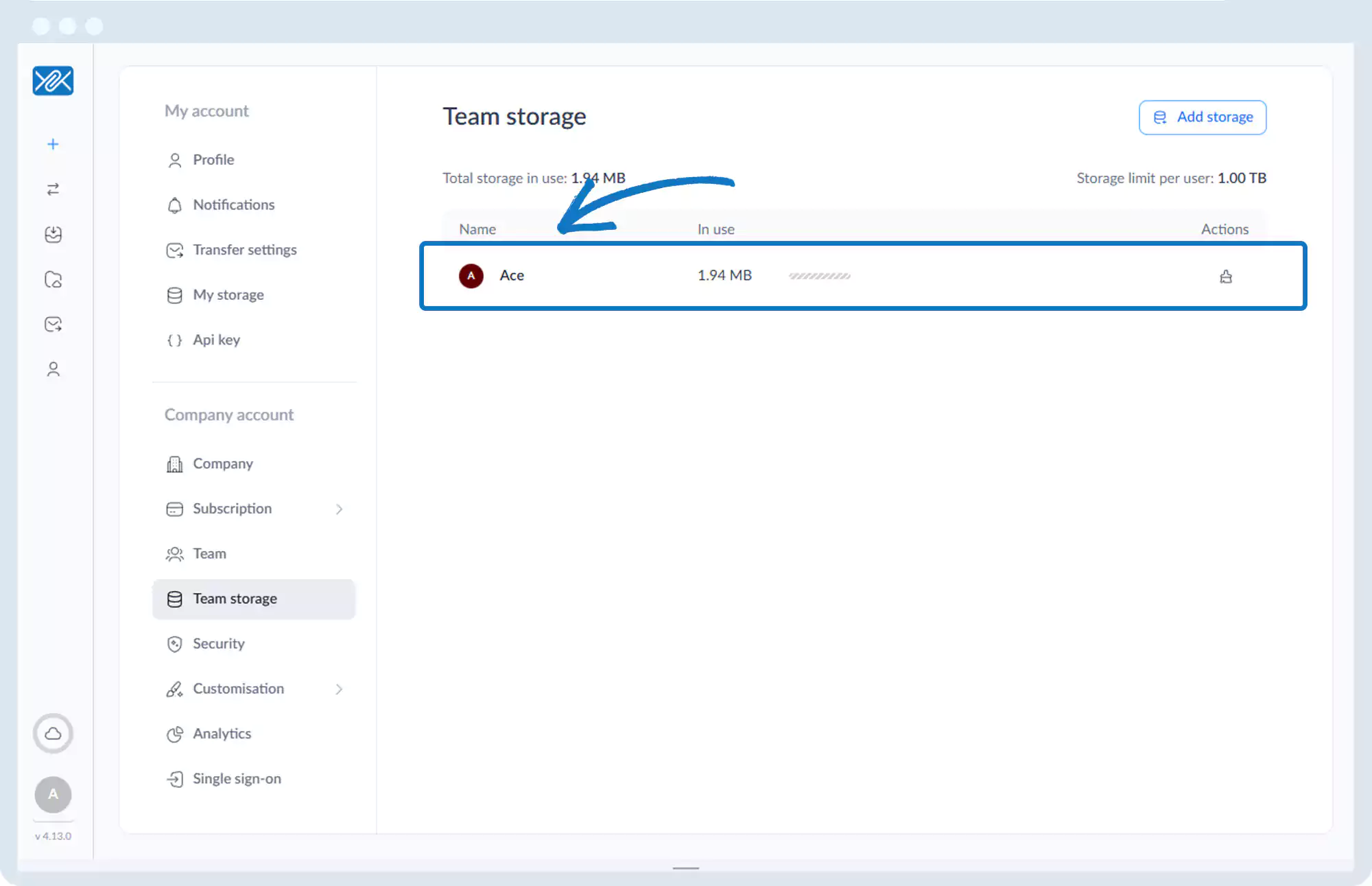
4. Locate the desired user.
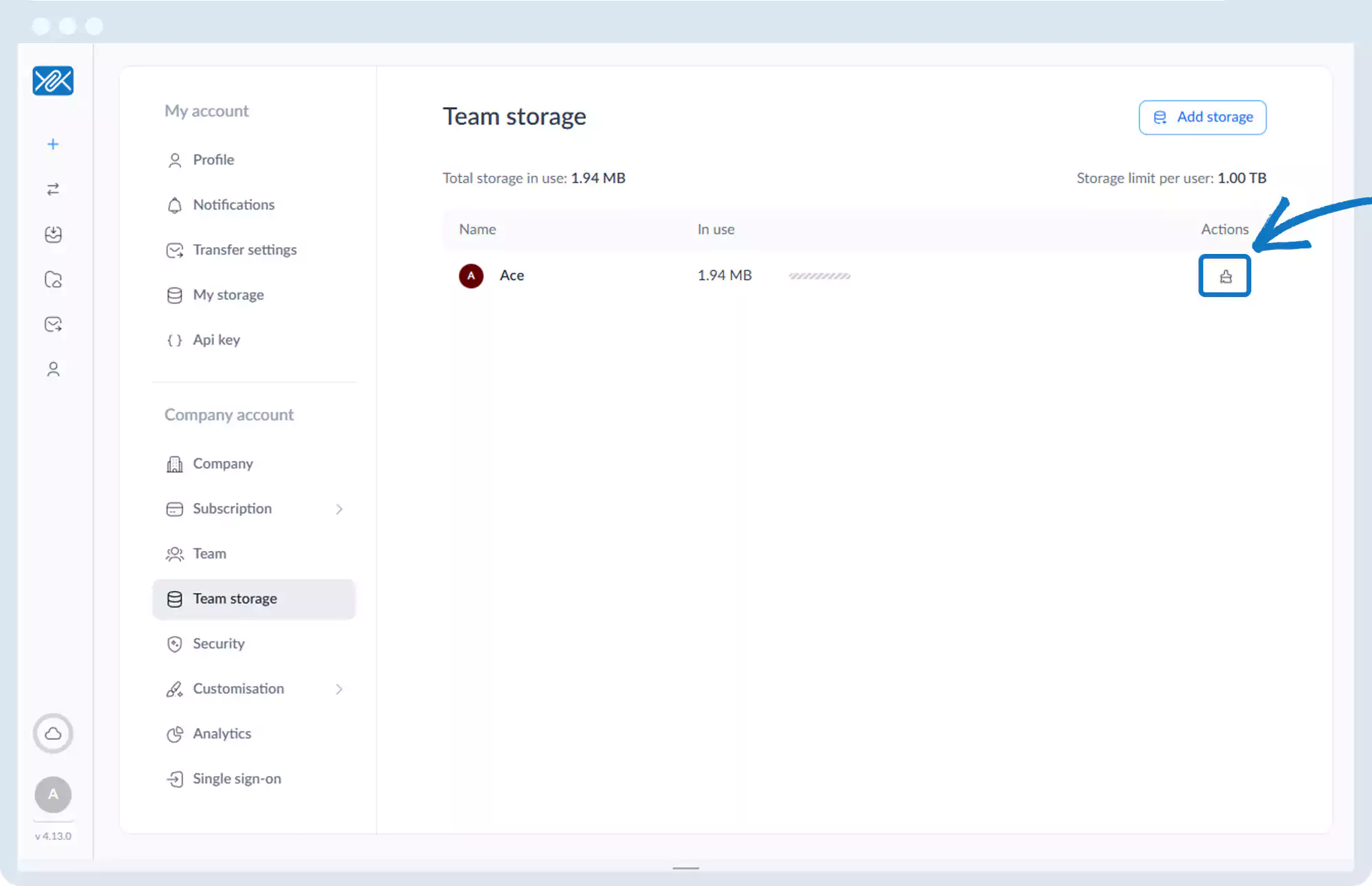
5. Click the cleanup icon (brush) under the Actions column.
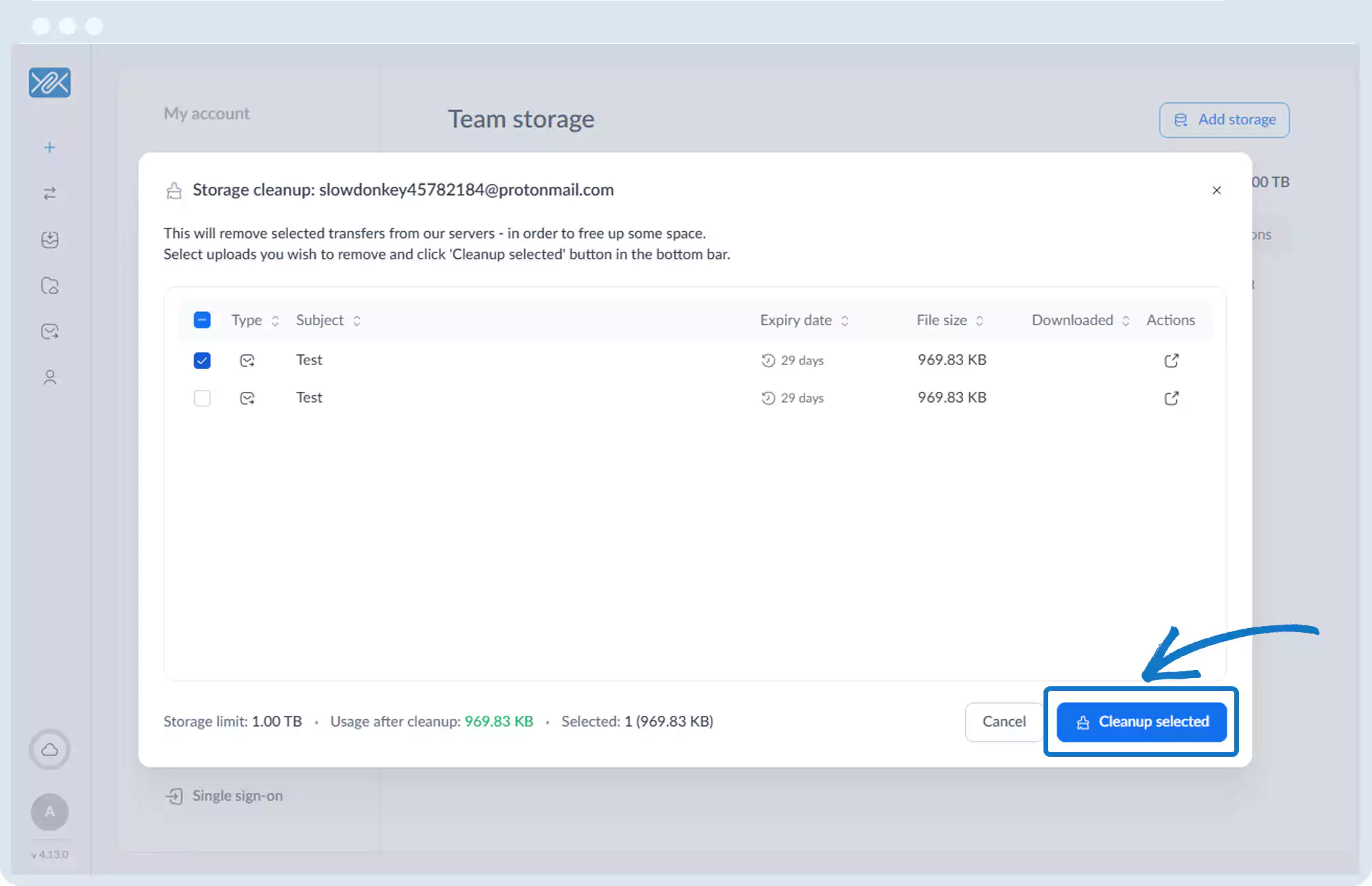
6. Select the messages containing files to delete.
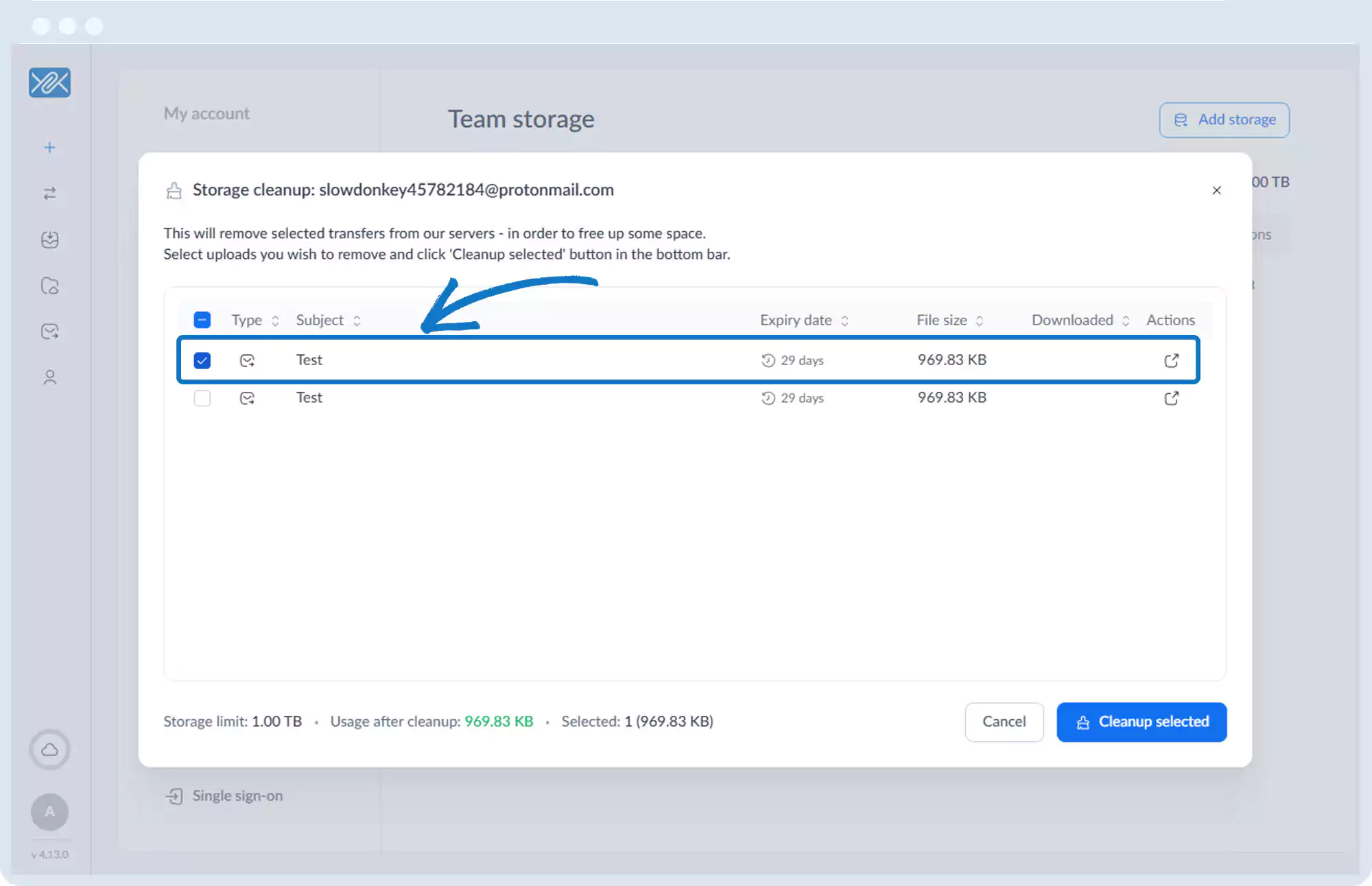
7. Click Cleanup selected.
Go back to the operations manual page