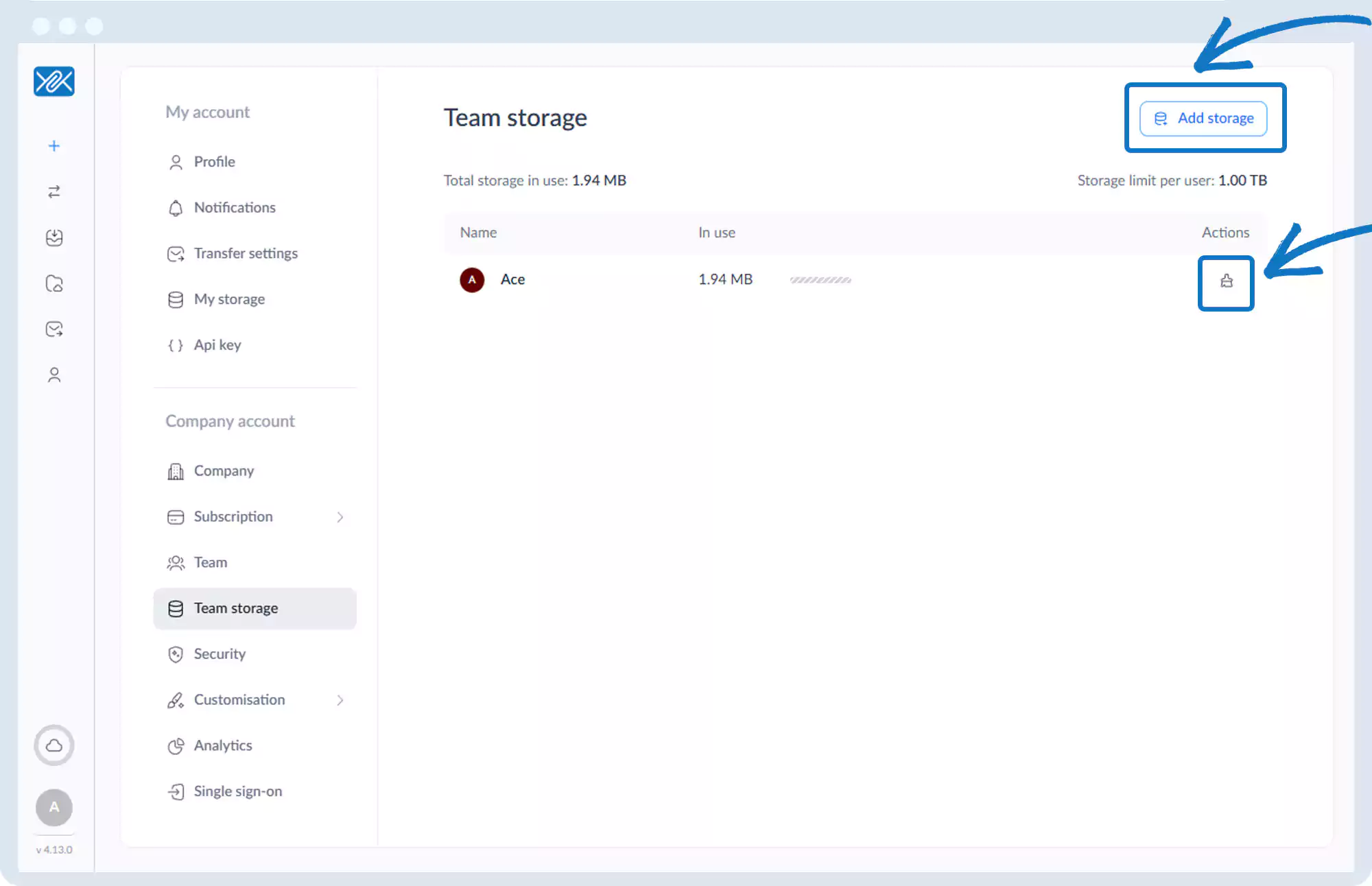
Team – Storage
1. Go to the bottom left of the window and click on your initials or name.

2. Select Account settings.

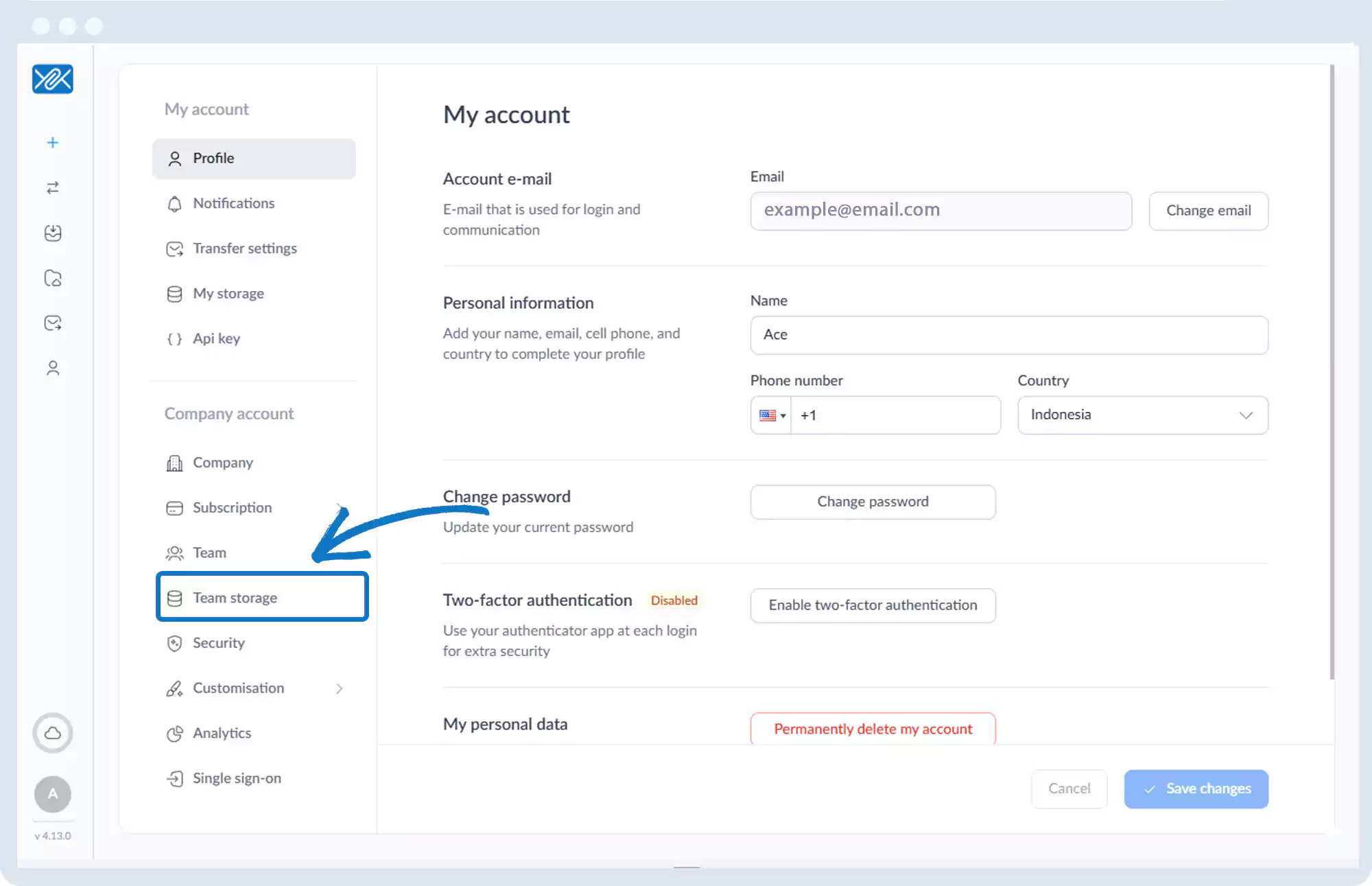
3. Click Team Storage.
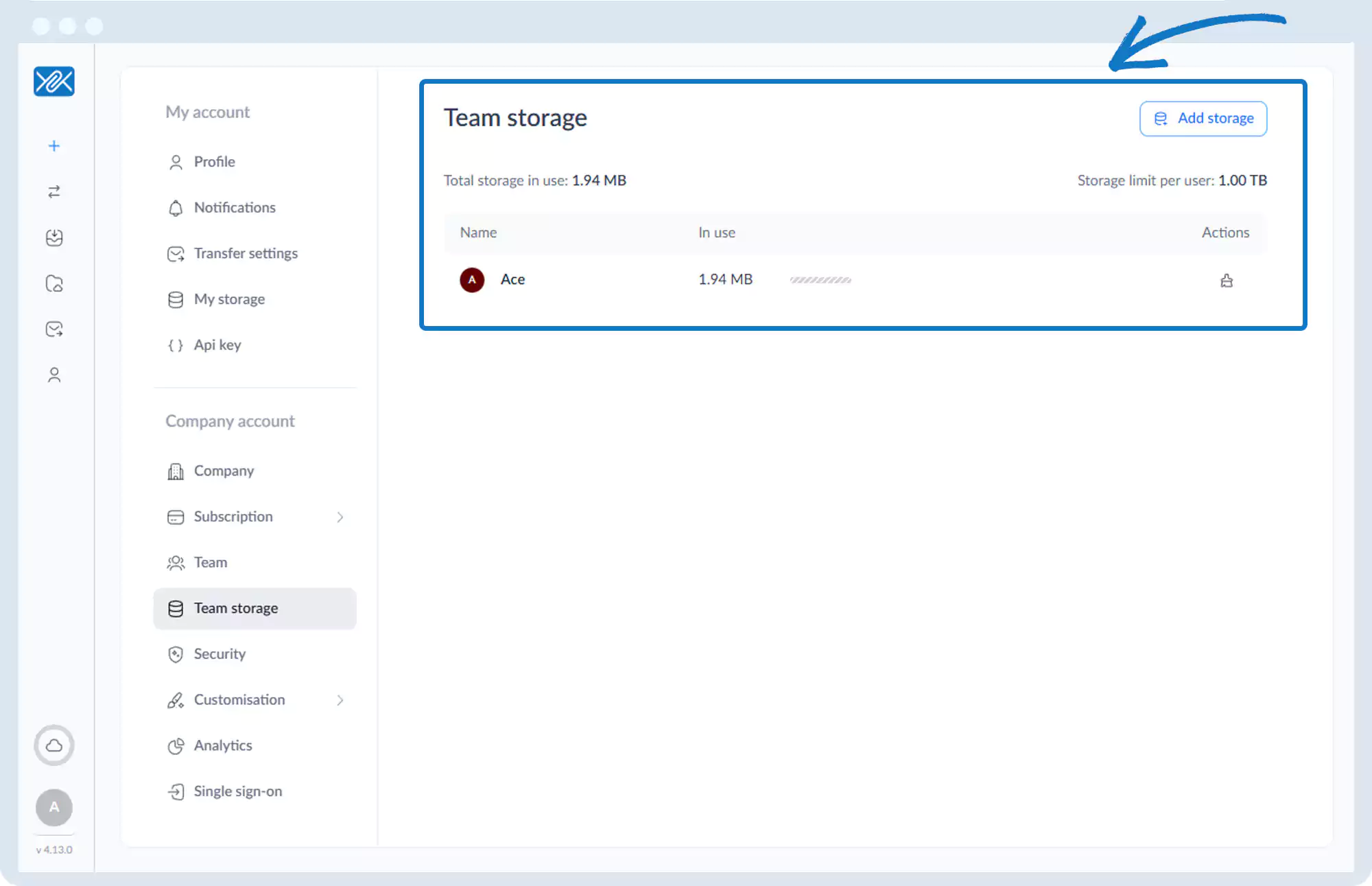
4. View:
- Total storage usage
- Per-user storage limits
- Individual usage
5. Options include:
- Add more storage
- Clean up storage for specific users
Go back to the operations manual page